ashot
-
Posts
81 -
Joined
-
Last visited
Recent Profile Visitors
1,982 profile views




-
 Thank you everyone. So the Final Answer for this question: for the Text field in Worksheet the "decimal numbers in worksheets have a precision of max 13 digits. and that the number of digits in the Text field is the Total number of all digits referenced from the numerical field, including all decimal places (whole part + fraction part).
 -
Does anyone know if Text in Worksheet Cell has a limitation for the length when it shows digits? @Pat Stanford Please see attached VW file. In my project I need to read Latitude and Longitude of my stakes in two different columns formatted to show either 9 or 12 Decimal Places Digits. Then I am trying to use Concat function, but first I need to understand why the TEXT format in the last column trims and rounds my 12 digits number into 8 digit maximum?Test TEXT length in Worksheet.vwx
-
Pat please explain how you make VW to use NVIDIA card versus low power built in graphics. Is this for laptop only, or can be set for desktop Apple Studio for example.
-
@propstuff can you please attach a VW sample file the final pillow product with Tassel & texture
-
Lighting tutorial NOT related to Spotlight
ashot replied to MGuilfoile's topic in General Discussion
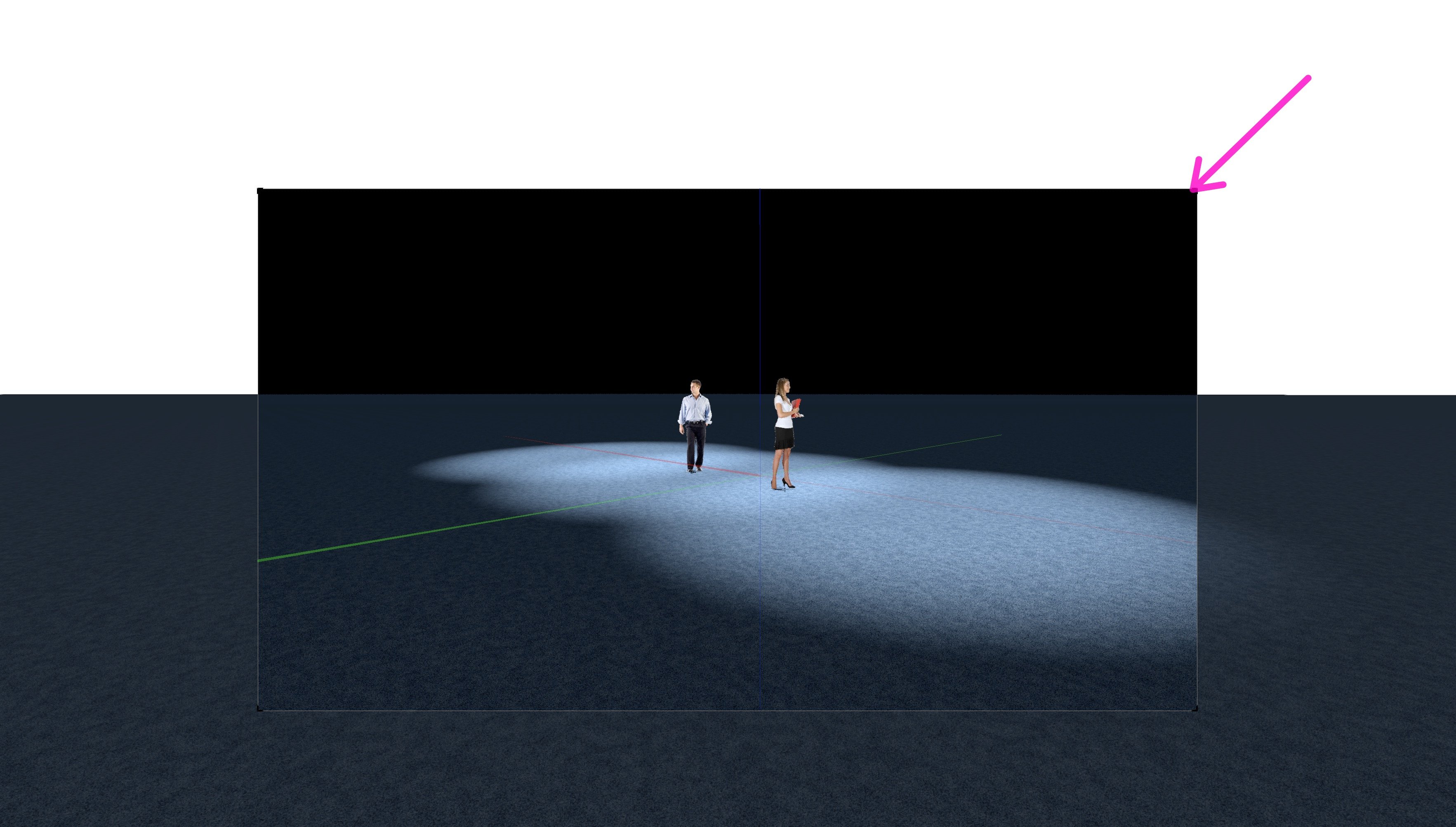
Thank you Pat, I got it worked with Cropped Perspective ! Excellent ... -
Lighting tutorial NOT related to Spotlight
ashot replied to MGuilfoile's topic in General Discussion
@Elite Exhibits Thank you for your attached file 408346396_LightsEmitter.vwx When looked at Saved View 111 Can you please explain what is the screen rectangle with handles to resize? It is not a Viewport or Camera Viewfinder, it is a 2D window (picture in picture)? How can I replicate the same on any other file? @Pat Stanford and others, maybe someone else can explain ...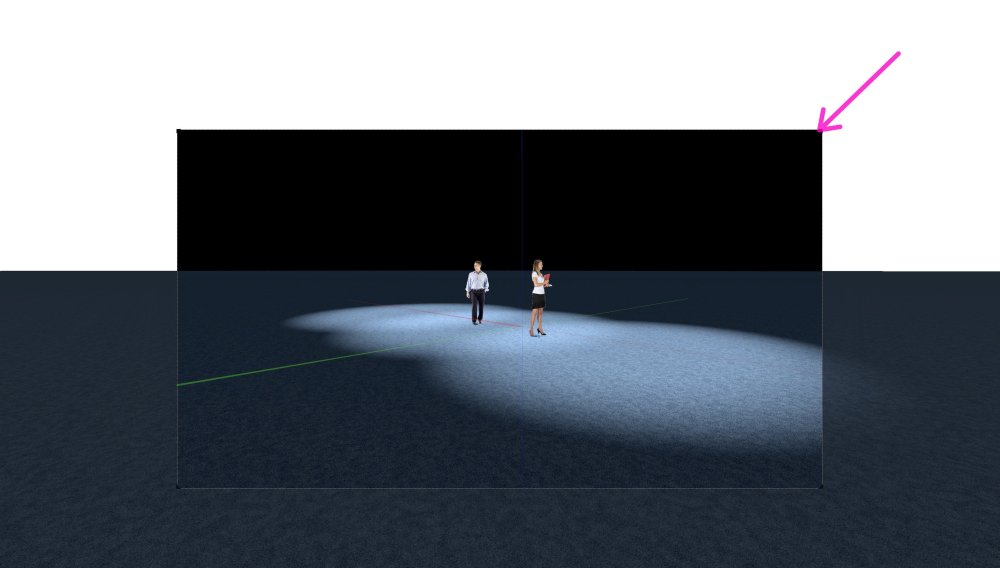
-
Before VW2024 version I had no problem setting the default color pallet to something I like. Now I need to select my custom pallet every single time, to override the Active Document Pallet, which is a default. Any idea how to make a default my other color pallets?
-
Memory leak is still a real problem in Dec 28 2023 Here is a test for VW team: Blank start, newly installed Designer VW 2024 Batch Convert - Convert in Place e.g. message shows conversion of Files 350 of 3736 Memory RAM usage by VW2024 - from the 1-st file conversion RAM started at 2GB on 350 file usage slowly increased to 14GB (Real 22GB, Virtual 429GB) in the end for 3153 file VW hangs with 192GB real RAM memory on my new silicon machine with RAM 192GB with 4TB Internal hard SSD Disk Please advise!
-
Fit Windows To Roof
ashot replied to KIT KOLLMEYER's question in Wishlist - Feature and Content Requests
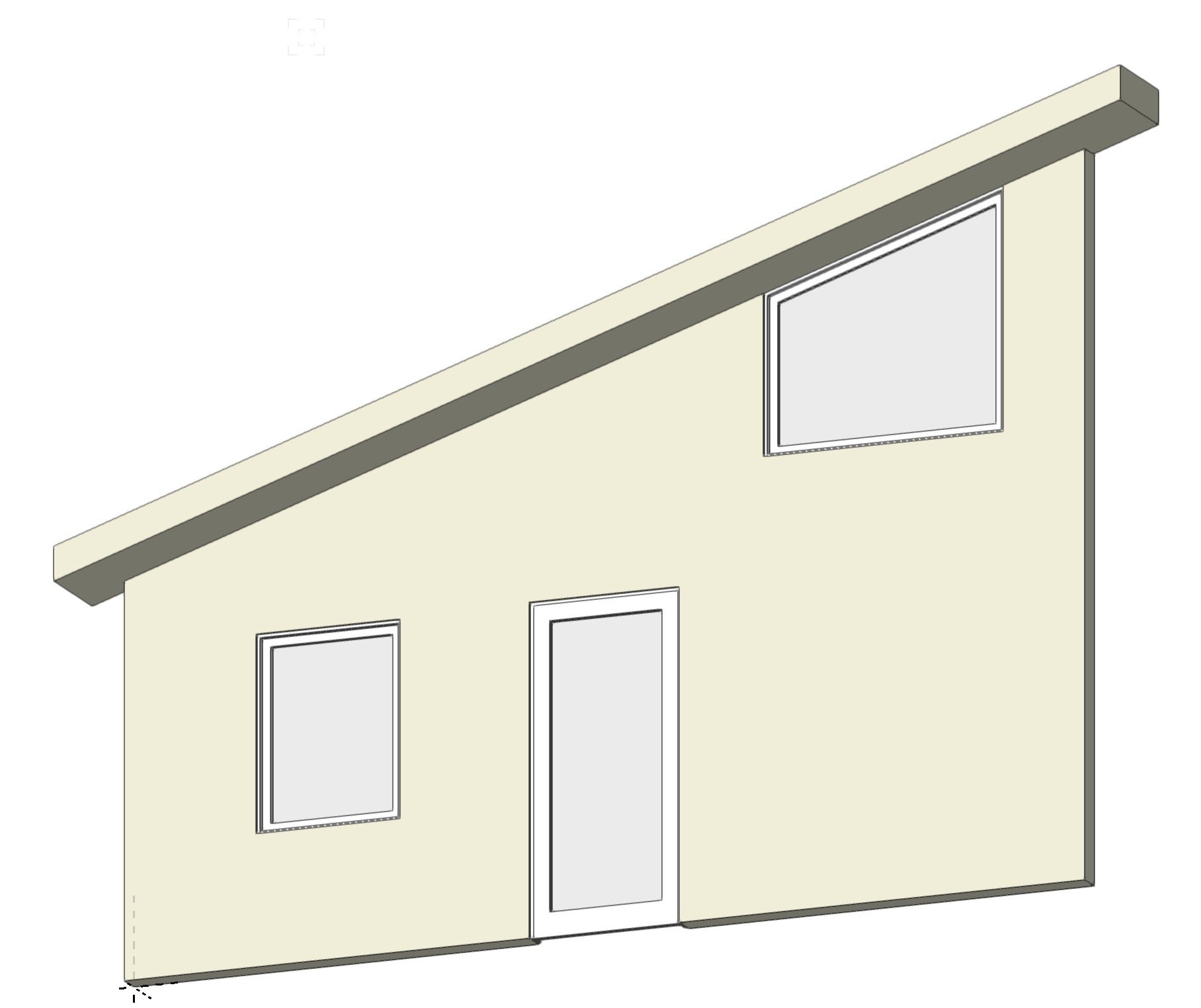
To get a sloped top use OIP Top Shape: Sloped, may include transom if needed) use Rise: (for example for roof pitch 4:12 for 5ft wide opening you need to use 5x4" = 20" then play with handles just as described in previous messages. To make perfect fit play with Elevation instead of manual dragging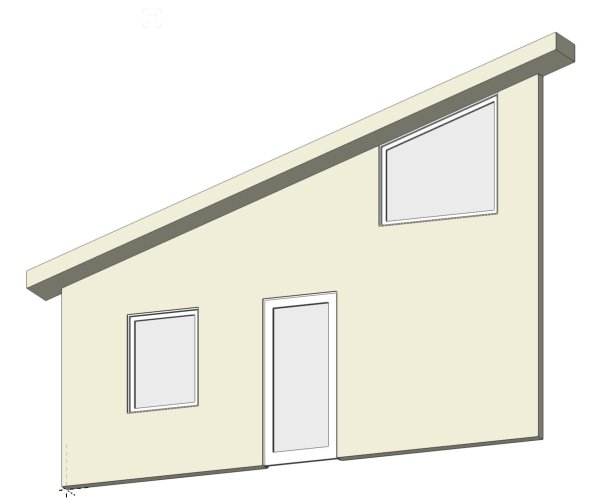
-
Hi Erminio, can you please tell me what utility you used fo rmemory usage shown on screenshot?
-
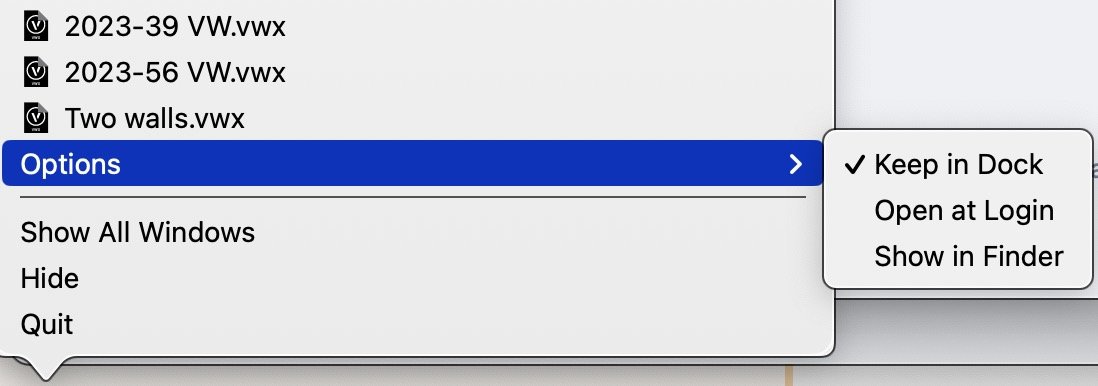
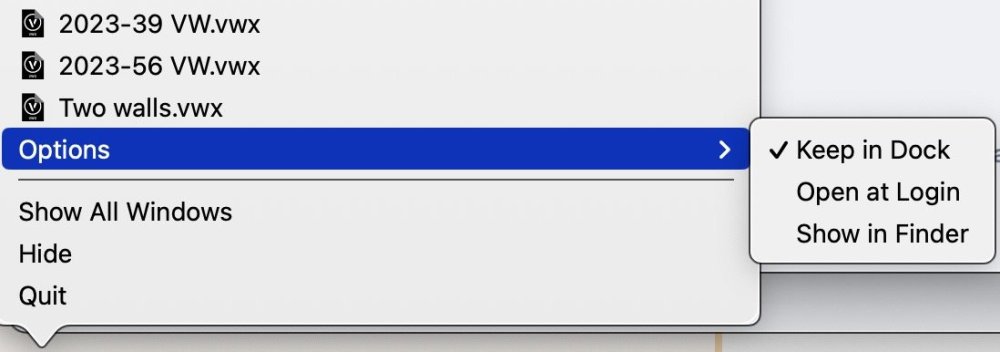
Hi Patrick, I do not see 'Assign to' Options on my Dock for Sonoma: Is this because some system settings on Mac?
-
@michaelk Do we need to copy to Custom Keyboard folder - all versions: e.g. VS 2023.vs VS 2023_6.vs VS 2023_4.vs or just the latest is enough: VS 2023_6.vs
-
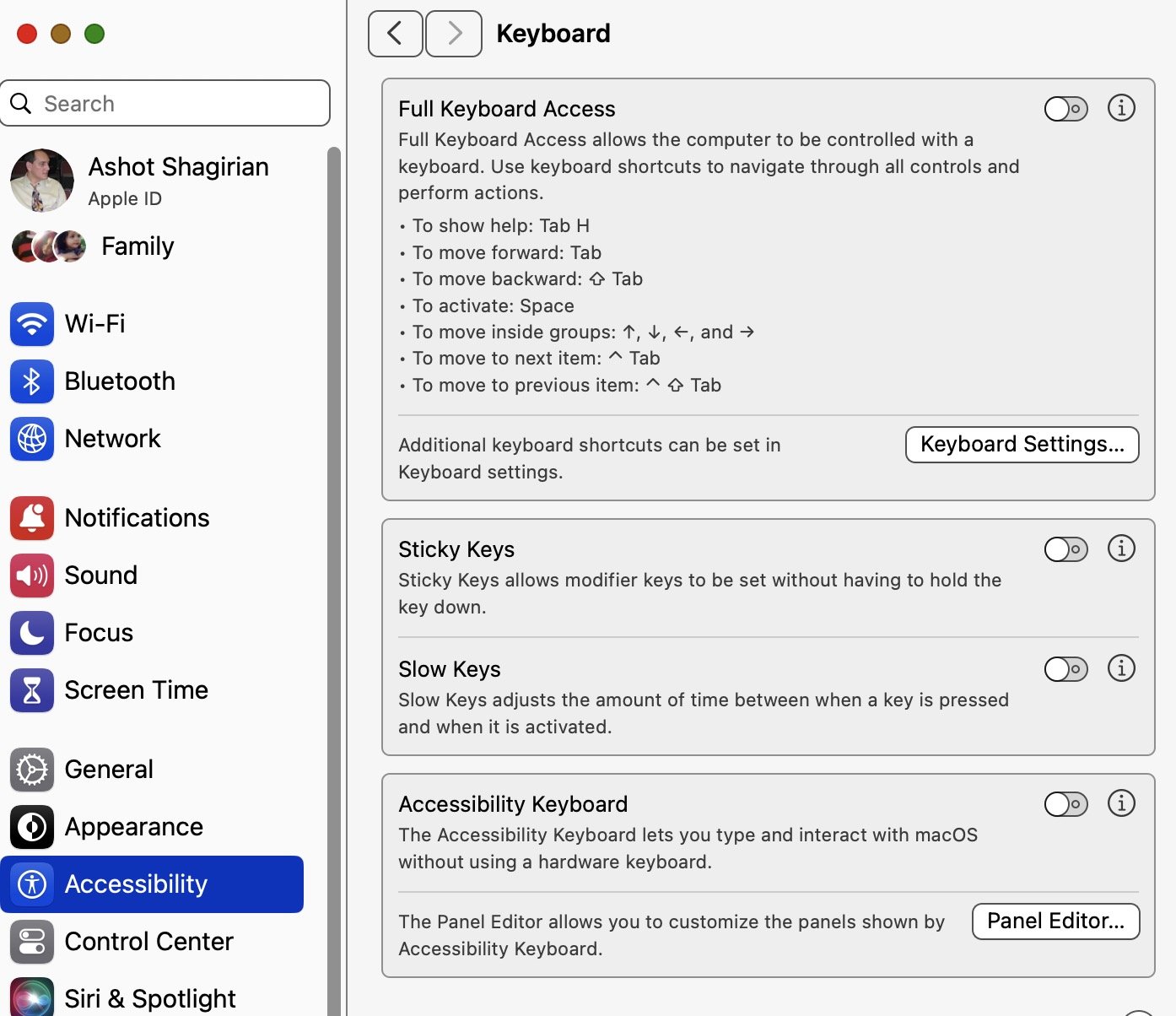
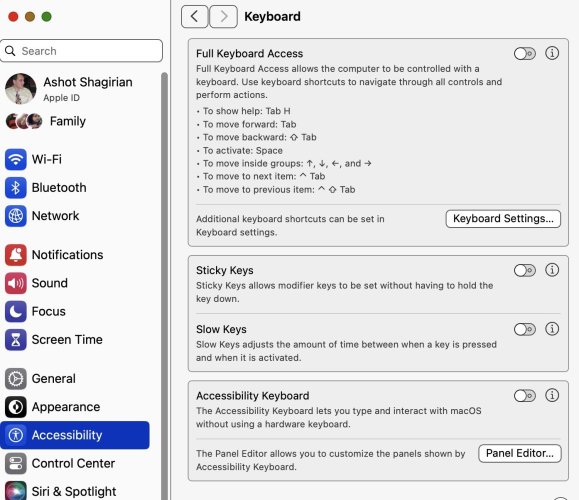
I helped my partner with this issue while I spent few days in search of this problem. It is related only to Mac OSX settings for Keyboard Under Accessibility option. Just turn off all keys including Full Keyboard Access key, and you will be back to normal. (When it is on, it overtakes Space bar to activate keyboard access) If you are using any of the Accessibility/Keyboard Access options try them one by one to figure our which one is causing any other problem for you.
-
Connection for ODBC and Filemaker for Vectorworks on Intel Mac has the same problem, I could never solve it for years. on my Mac ODBC works with Filemaker directly, without any problem, but it never worked for sharing with Vectorworks. The Error screenshot shown above is specific only to Vectorworks. After my I struggle I forced to use SQLITE. It works for Vectorworks and does not need ODBC part of Vectorworks.
-
Thank you Kevin and Pat, Purge works of course, how could I miss it. I guess yesterday I was too tired and in rush to finish the job. The problem solved, no other special things to consider for now. Thank you again.