ThreeDot
-
Posts
167 -
Joined
-
Last visited
-
@Samuel Derenboim Oof, thank you for reminding me about the upvote button.
-
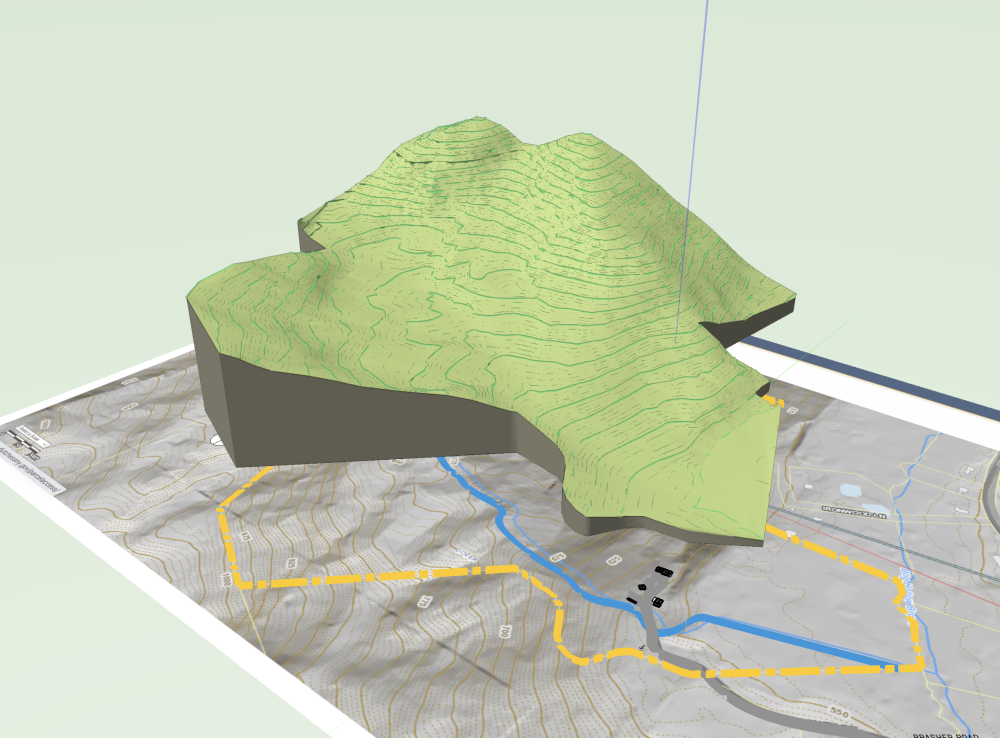
Does anyone know how I can slice a site model into layers and export each layer to be cut on a laser printer?
-
I get this error if I try to open a VWX file that has not been downloaded (synced) to the local drive. Right click the file in Dropbox and select “Make available offline”. I can post a screenshot when I’m back at my desk.
-
Hex Color field for custom colors
ThreeDot replied to Bill_Rios's question in Wishlist - Feature and Content Requests
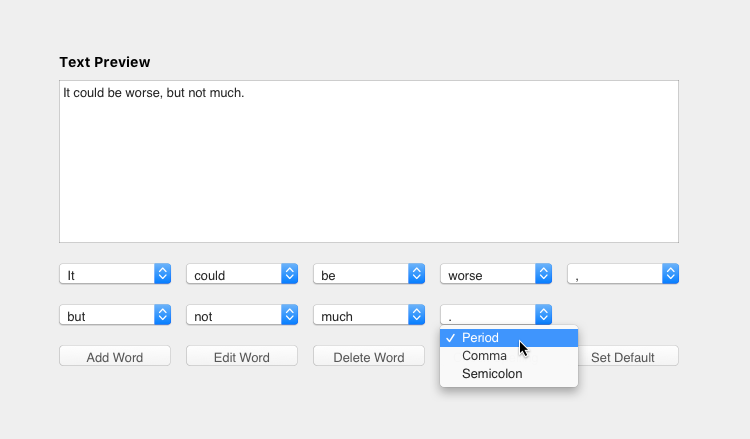
In Affinity I can select an object, directly adjust color sliders or paste a hex code, and see the results updated live. In VW I have to (1) click on the color swatch, (2) click to open the macOS color picker, (3) adjust sliders or paste hex code, (4) click OK to exit the picker and see the result. If I need to tweak the color, I have to repeat the process again. It can take four clicks—or forty clicks—to get the right color. That is way too cumbersome. I hope VW 2023 is better! VW Hex Color.mov -
Hex Color field for custom colors
ThreeDot replied to Bill_Rios's question in Wishlist - Feature and Content Requests
In VW 2022 (and previous versions), the HEX color field is buried at least five clicks away. The interface between VW and macOS is slow, so those are five...very...slow...clicks. One click direct access is standard on all other graphic software I use (Adobe, Affinity, Sketch, Figma). I'm hoping that changes in VW 2023 allow for better access to colors. -
I have the same problem with SP5. Constant pauses with simple actions, like selecting and moving 2D objects.
-
Webflow has a similar feature where you can option click any CSS override and it will reset to the parent style. It’s fast and easy.
-
I don't have a solution, but I can confirm I've seen plenty of weird stuff while scrolling, panning, and orbiting the past few years. Even subtle things like hatches mirroring during pan are oddly unsettlingly. It makes no sense, but appears to be acceptable behavior in the Vectorworks universe.
-
I get this all the time with 2021. Not just with loci, but with lots of things. I’m so beaten by the clumsiness and messiness of Vectorworks, that I did not bother to report it. 2022 has introduced a whole new realm of new visual artifacts. No other software I’ve ever used has these problems. It takes far too long to report bugs and these sorts of issues are rarely solved (or they are solved so many months or years later that I’ve accepted work-arounds as normal).
-
2022 Shaded Renderer — not quite ready for prime time?
ThreeDot replied to mjm's topic in General Discussion
I can confirm. I'm seeing similar issues. Solids seem to float in shaded view with shadows turned on. I'm using simple solid extrusions with heliodon lighting in a new file. -
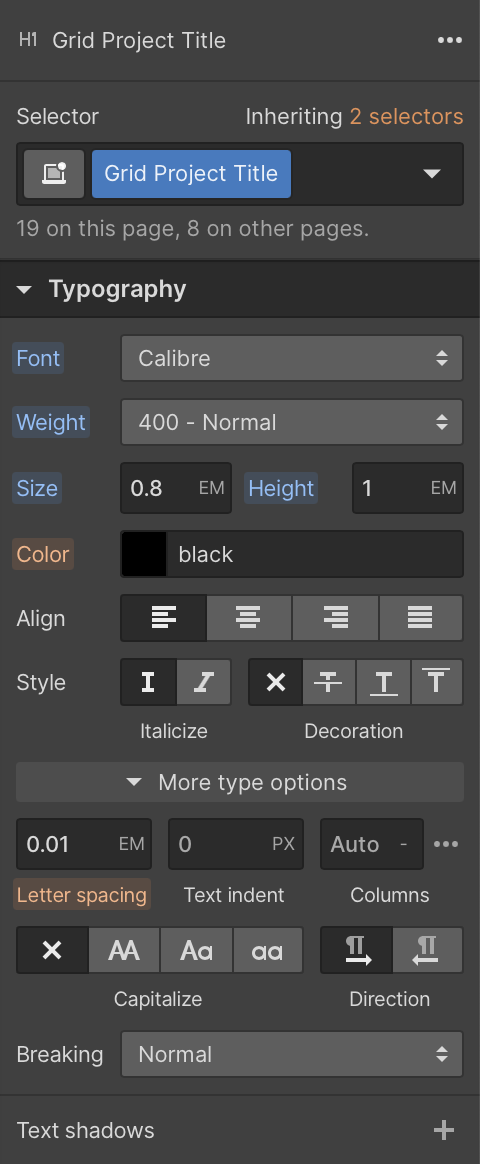
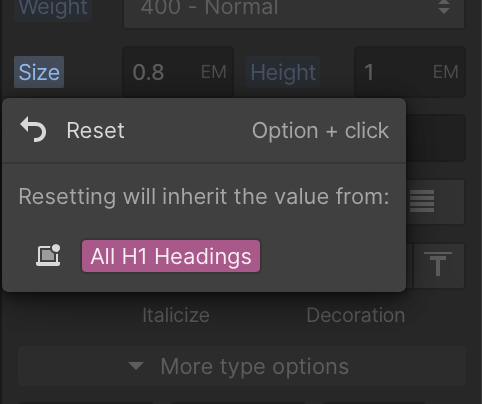
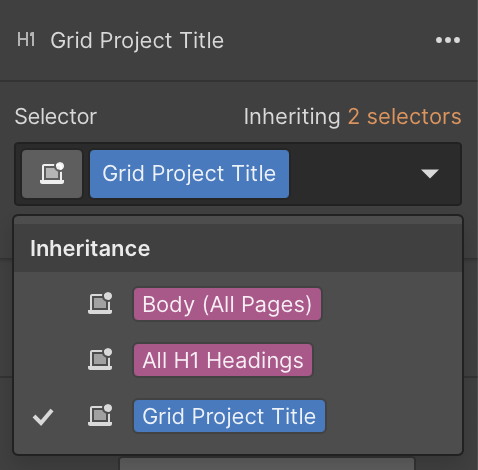
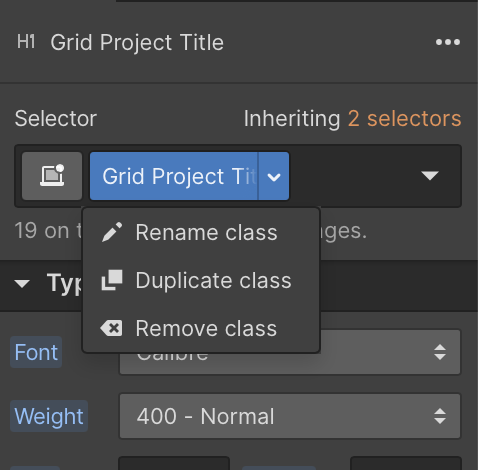
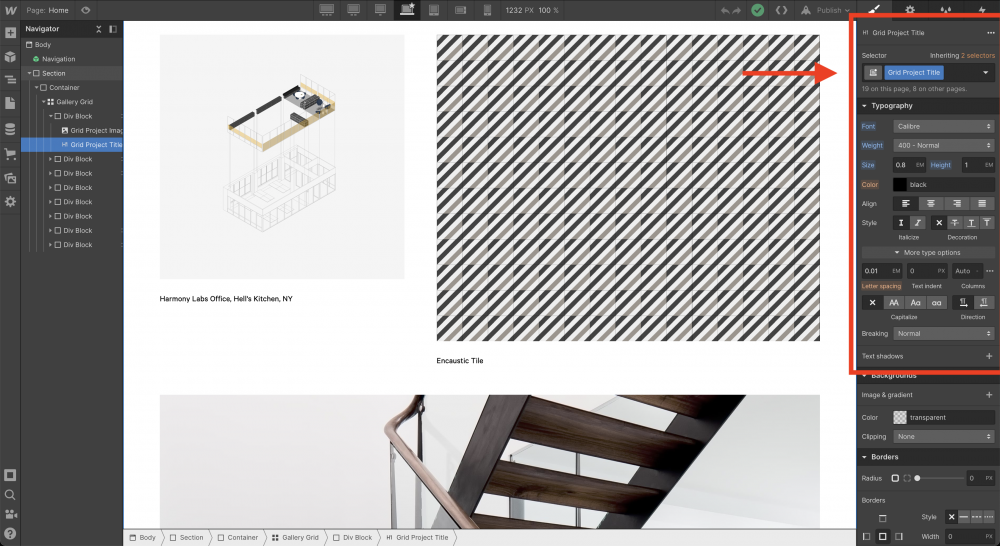
Webflow is an excellent graphical CSS editor. In the typography panel, you can create paragraph styles and quickly assign them to any new or existing text. You can rename, duplicate, remove, or create new styles on the fly. You can override any aspect of text style without breaking other inherited attributes. Need an H1 exception that is right-aligned? Override the alignment attribute and inherit all other attributes. Need a P style with a slightly larger font? Override font size and inherit all other attributes. Change your mind? Option click on the override to reset. In the screenshot below, I have an H1 named "Grid Project Title". It inherits attributes from two "higher" styles, which I can easily see and edit at the top of the panel. Below that, you see all details of the font style (font, size, color, leading, etc.). Orange attributes are inherited from the master style. Blue styles are overridden. Click on a blue style to reset to the global attribute. InDesign, Quark, and Affinity Publisher all have clever ways to manage text styles. I have experience with all of them, but Webflow is by far the best. It's simple, flexible, and intuitive. Webflow has incredible UI/UX designers. They clearly thought about this long and hard, and it works beautifully. Vectorworks should just copy this and be done with it. They cannot improve upon this model.
-
Why reinvent the wheel? Text styles should be modeled on CSS! Attributes should cascade down, allowing for overrides at the block, paragraph, word, or character level.
-
Modern Text Controls
ThreeDot replied to Tom Klaber's question in Wishlist - Feature and Content Requests
- 1 reply
-
- 10
-

-

-

-
Setting up a different sheet size format
ThreeDot replied to Mike McGuire's topic in General Discussion
You should consider switching to 22x34 (ANSI D) large sheets and 11x17 (ANSI B) small sheets. You can create one 22x34 title block for both sizes. If you set up sheet layers that use 11x17 sheets at 50% scale, you can easily print 22x34 or 11x17 sheets without changing the title block. I print “mini” sets for day-to-day use. I never keep large sets anymore—too cumbersome—but I do need to issue large sets for tender, permits, and construction. This system allows me to generate full-size PDFs, but print at 50% on 11x17 with a quick tweak in the Acrobat or Preview print dialog. -
Thank you, Christiaan! I placed your script my custom "Plugins" menu and assigned a keyboard shortcut. I use the same shortcut (command + ; ) that I use in Illustrator. This is super helpful.