C.T
-
Posts
68 -
Joined
-
Last visited
Content Type
Profiles
Forums
Events
Articles
Marionette
Store
Everything posted by C.T
-
VW 2018 (and VW2021 and VW2022): Push-pull tool problems continue
C.T replied to line-weight's question in Known Issues
🤔⌚ -
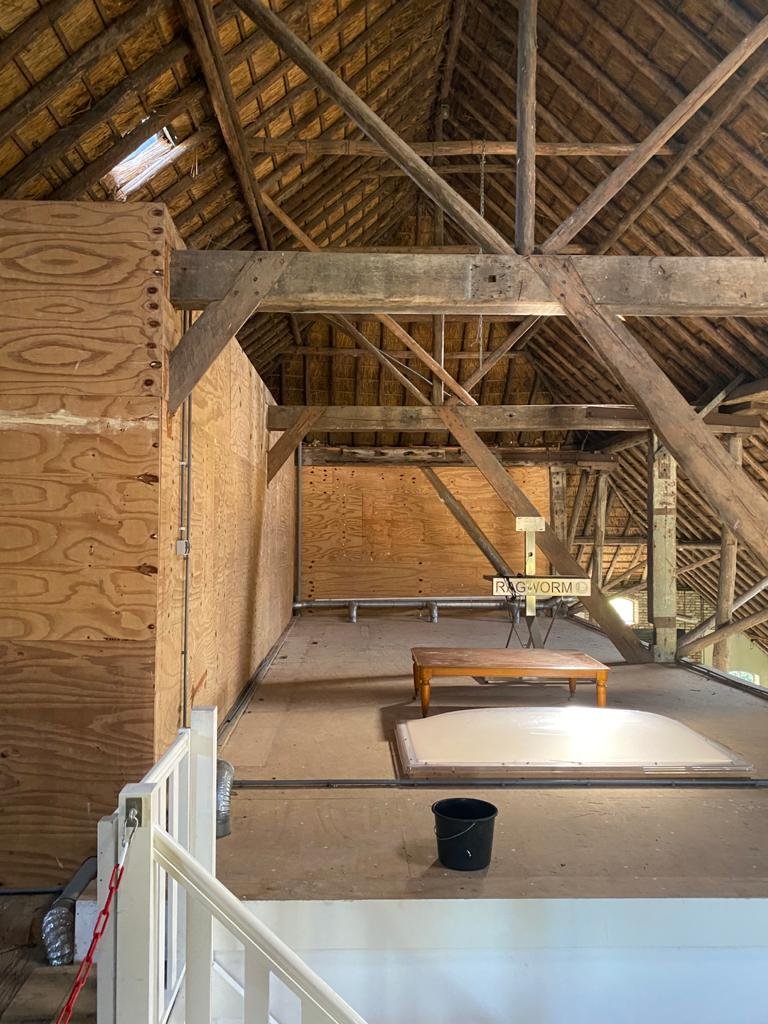
Yes you're right as you can see from the picture I took: it's massive thatched roof!! ❤
-
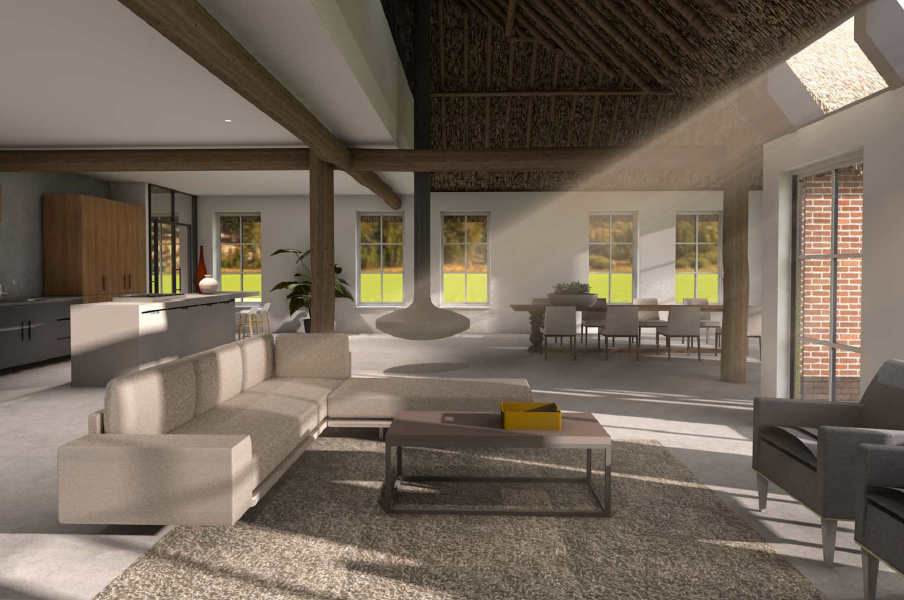
Thanks for sharing Kevin K., although I think Vectorworks | Renderworks can do a nice job with the 'Lit fog' combined with a 'filter' as well. See here one of my renders:
-
@Tom W. I found something: You can have the light coming from a background and you can have the background image come from a completely different background .... in the attached video 'Remarkable Renderworks Ep. 26: Environment Lighting' Daniel Jansenson explaines how as of 7.07min.
-
That's how I understand it as well........... Best to ask @PVA - Jim : could you please clarify your statement: I often use Physical Sky coupled with a heliodon for the environment lighting and then just the regular "fake" jpeg HDR background for the visuals and reflections to avoid this entirely. from: https://forum.vectorworks.net/index.php?/topic/57611-whats-special-about-an-hdri-background/&do=findComment&comment=288065 Is Tom W. correct?
-
Thanks again @Tom W. & for the clear explanation. I am not sure if that is possible with a Physical Sky and HDRI sky or day. Guess not... But combining two backgrounds has been done as I understand from Jim: see Quote from post @PVA - Jim ''I often use Physical Sky coupled with a heliodon for the environment lighting and then just the regular "fake" jpeg HDR background for the visuals and reflections to avoid this entirely. '' https://forum.vectorworks.net/index.php?/topic/57611-whats-special-about-an-hdri-background/&do=findComment&comment=288065
-
Can anyone please help me out? As I understand the Physical Sky can intergrade with the Heliodon as long as 'physical sun & sky' is turned on in oip. Is this also true for a HDRI (background). Or is that what makes them different from each other? If the HDRI is not responding with Heliodon is it possible/ logical to use Physical Sky and HDRI background both at the same time to have the benefits of light effect as well as a HDRI background image for a particular view/ outlook? What's the difference (if any) between: Physical Sky & Physical Sky Day HDRI Sky & HDRI Day..............................................? @Dave Donley @Luis M Ruiz @PVA - Jim @zoomer @Kevin Allen
-
Thanx @zoomer. Yes I know what you mean... at one point I got sick of all the options and reviews as well. ....eventually I found a great one: ASUS ROG Strix SCAR 17 G733QS-HG015T, 17.3" laptop 1TB SSD, WiFi 6, Win 10 Processor AMD Ryzen 9 5900HX CPU - 8 cores Threads16 clock 3300 MHz Turbo 4600 MHz NVIDIA GeForce RTX 3080 Laptop-GPU Memory16 GB (GDDR6) I have been using it for a week or so and very happy with it... working on a large file (300mb) with lot's of high quality exterior renders (50 pieces) which took an hour in total to render. 👏👏 I would recommend this laptop since it's very fast and doesn't make much sound and heat up hardly.
-
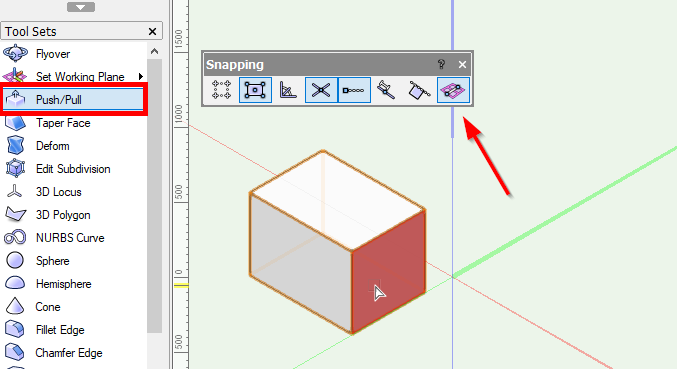
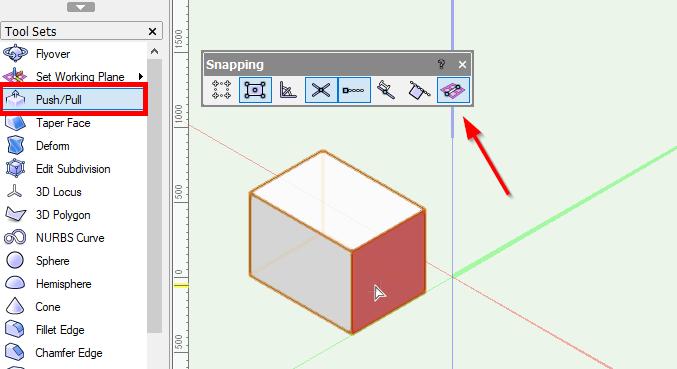
When activating the push-pull tool, 'snap to working plane' in the snapping dialog box automatically turns on. Is there a way to have it turned off by default? Or is there another way to prevent snapping to working plane without turning this mode of whenever using the push-pull tool?
-
@zoomer I am looking at a 17inch laptop I need for VW2021 architects. I do 2d/3D and renderworks. So need a laptop that can perform well. I checked https://www.vectorworks.net/support/quality-tested-hardware and had my eye on the Lenovo Thinkpad 17. Unfortunately in the Netherlands is not available right now. In the 'same' price range I can get i.e. Acer ConceptD CN517-71P 72TO Intel core i7 9750H Hexa Core (12MB Cache, 2.6GHz) RAM 32GB NVIDIA Quadro RTX 3000 - Dedicated 6 GB 1000GB SSD NVMe, PCIe HDMI separate number keyboard or DELL XPS 17 9700, Intel® 10th gen. Core™ i7 Intel Core i7-10750H Hexa Core (12MB Cache, 2.6GHz) RAM16GB DDR4-SD 512GB SSD Intel UHD Graphics,NVIDIA GeForce GTX 1650 Ti (4GB GDDR6) Intel core™-processoren, NVIDIA® GeForce RTX™ 2060 NVIDIA ® GeForce® GTX 1650 Ti no HDMI no number keyboard ;( They both are not listed on the VW website Quality-Tested Hardware. Can you please advise?
-
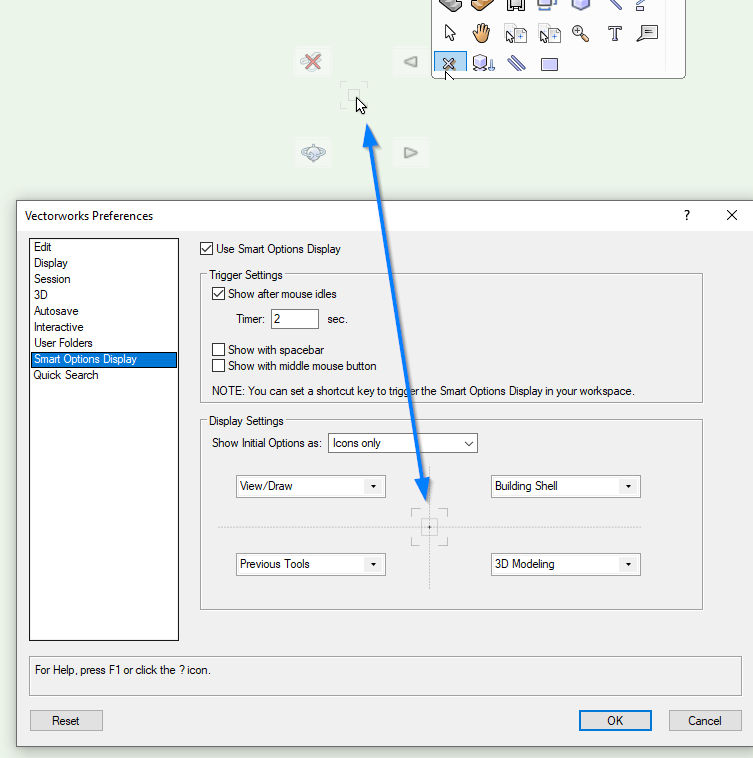
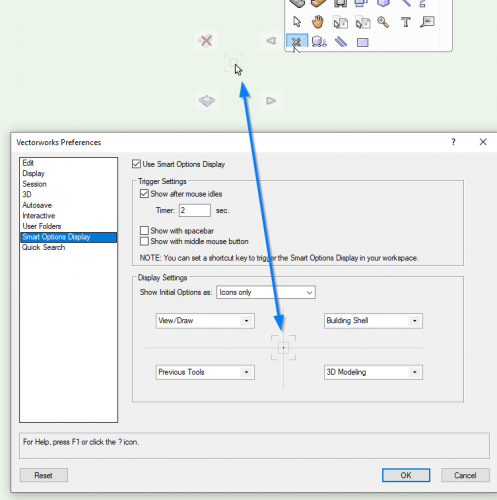
In the Vectorworks (2021)> Preferences I set the Smart Options Display to View/Draw - Building Shell - Previous Tools - 3D Modeling (clockwise) I am using a wacom tablet, so instead of using 'show with spacebar' and or 'middle mouse button' in Workspace Editor> Keys I set the a hotkey to 'Trigger Smart Options Display'. Now I noticed a bug: after leaving my computer alone for an hour or so the icons change (well flux me ∿∿ is this even possible?). It's not a big deal, cause while the icons are gone bonkers the functions are still in tact. Just wondering of any of you noticed this bug too? And maybe for Vectorworks something to look at?
-
That's the idea. Working on a kitchen design for a bungalow. Do you mind I am using one of yours? ☕
-
Yes they did, many thanks.
-
Thanks a lot @Kevin K .
-
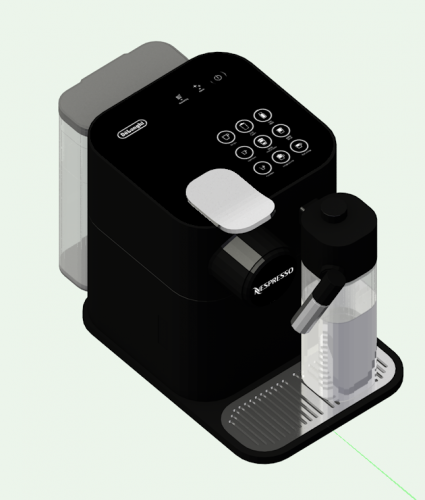
@Kevin K I managed to get this far in vectorworks, see rendered image. I'll send you the files.
-
@Kevin K @Claes Lundstrom @zoomer I imported a *.obj. 'nespresso machine'. Along with the model I got the images of buttons, logo and also a bump file which I all imported in resource manager to apply. Doing this by hand since it doesn't come by importing the object. Also the model is one big mesh group containing lots of 3D polygons. So it's quite a lot of work to go into the group and select the 3D polygons that need to have the same texture (i.e. milk, transparent containers, shiny chrome parts etc). Is this normal way of handling an object file? Or is there a better approach?
-
VW 2018 (and VW2021 and VW2022): Push-pull tool problems continue
C.T replied to line-weight's question in Known Issues
@Tom W. this is not standard but has nothing to do with local/ international version. You can program this in Tools> Workspaces> 'Edit current workspace' To find out how: Go to second page of Threat 'Isolate Object Command' (October 25, 2020). Hope you like it. -
VW 2018 (and VW2021 and VW2022): Push-pull tool problems continue
C.T replied to line-weight's question in Known Issues
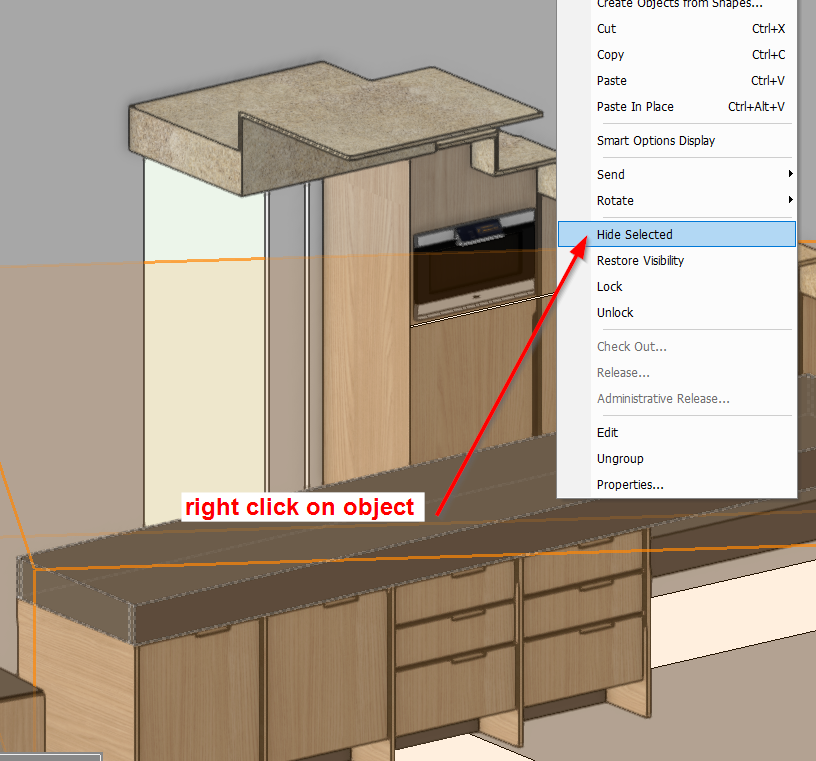
You are right that's not a solution (just I noticed). I do use 'hide selected' in interior models to reach behind certain objects, which I find very useful.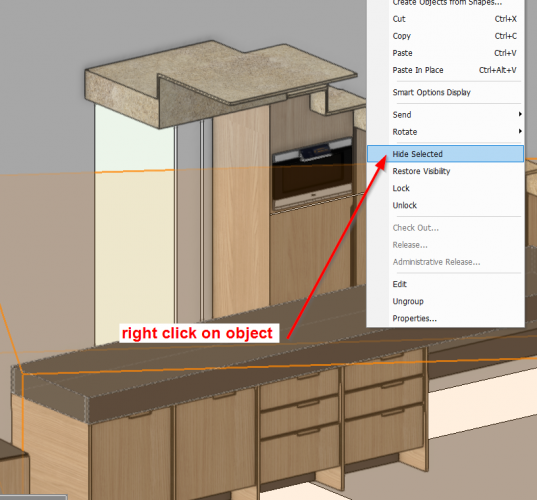
-
VW 2018 (and VW2021 and VW2022): Push-pull tool problems continue
C.T replied to line-weight's question in Known Issues
Here I have a model with walls, slabs, windows and no issue in perspective mode. I use same technique to model out elements in a second file using copy + paste in place as well. That works quicker 👍 -
VW 2018 (and VW2021 and VW2022): Push-pull tool problems continue
C.T replied to line-weight's question in Known Issues
Hi, I just happen to see this post. I experience something similar. When certain classes are turned off (i.e. walls) it still is in the way using push/pull tool or even a 2D line or polygon tool to reach a surface. My way around it (although not a perfect solution) is to set 'Class Options' in Navigation Palette to 'Show others'. Then the tool will not snap to the hidden class. -
Spacebar acting as an OIP 'undo'
C.T replied to hollister design Studio's topic in General Discussion
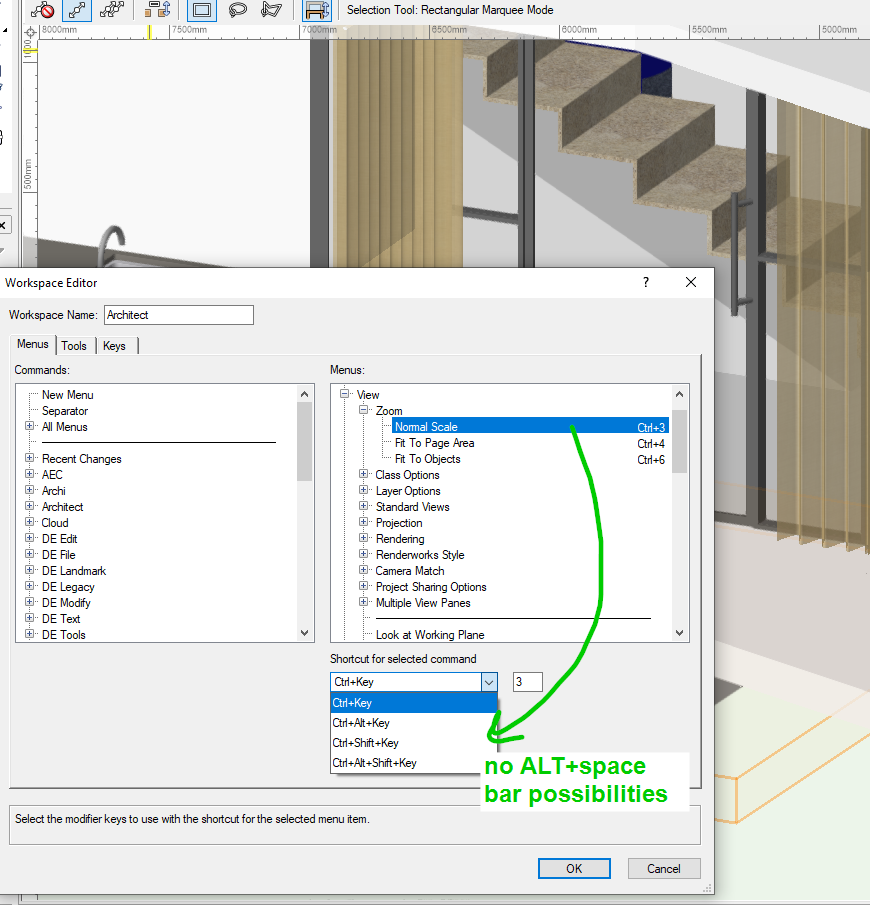
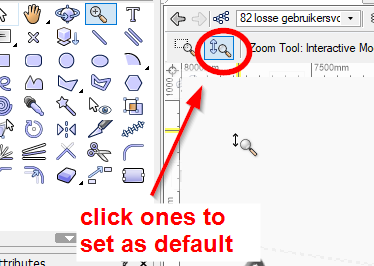
@Mark Aceto unfortunately I don't think it's possible to program alt-spacebar as zoom function (see image). Or do you know any other possibility?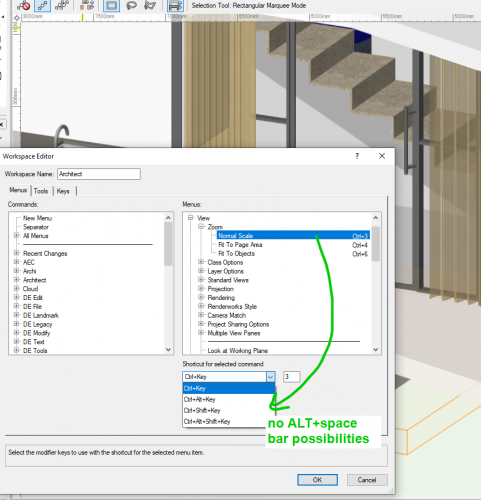
-
Spacebar acting as an OIP 'undo'
C.T replied to hollister design Studio's topic in General Discussion
@Mark Aceto You have to make sure to press the spacebar before the control + click ones the second mode in the upper toolbar to set as default.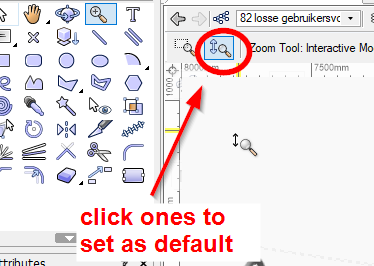
-
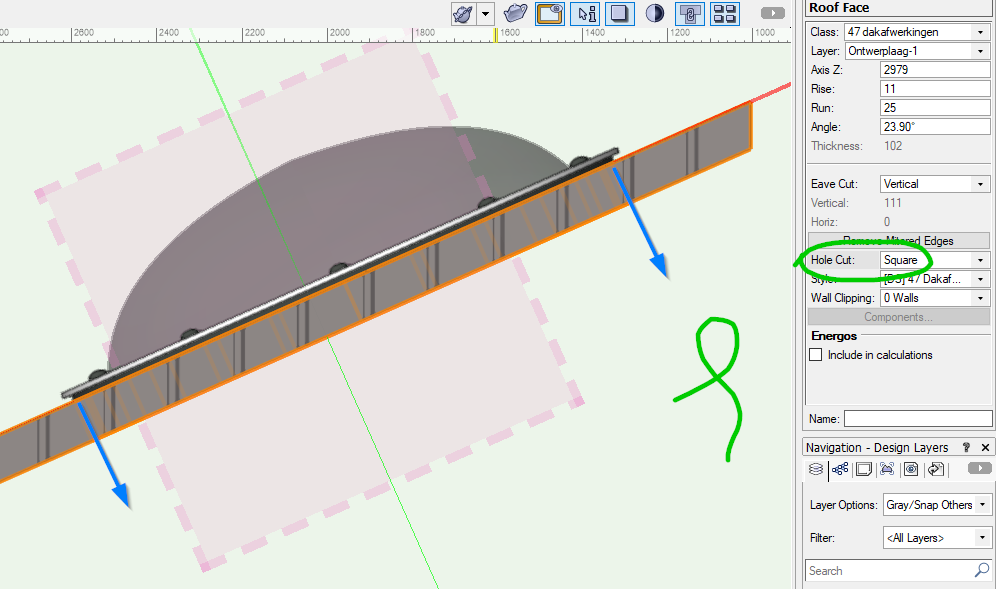
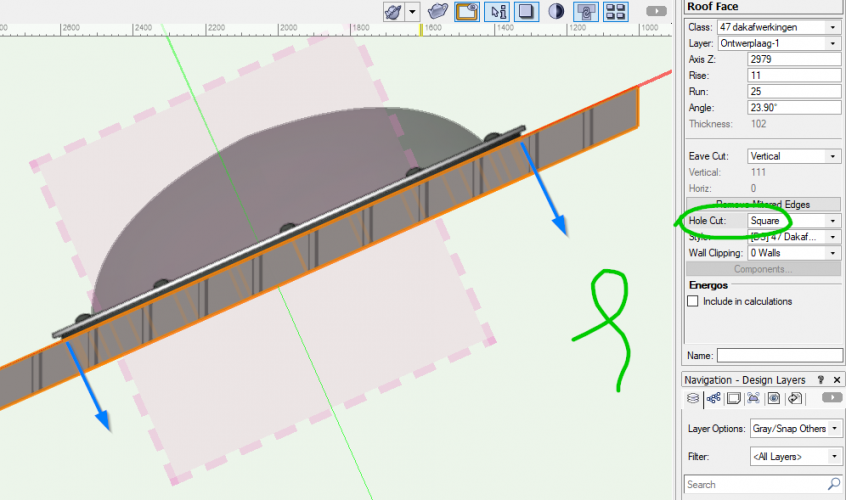
Many Thanks @line-weight, that it! I set the Hole Cut > 'Square' in 'Object Info' palette of the Roof Face and it worked.
-
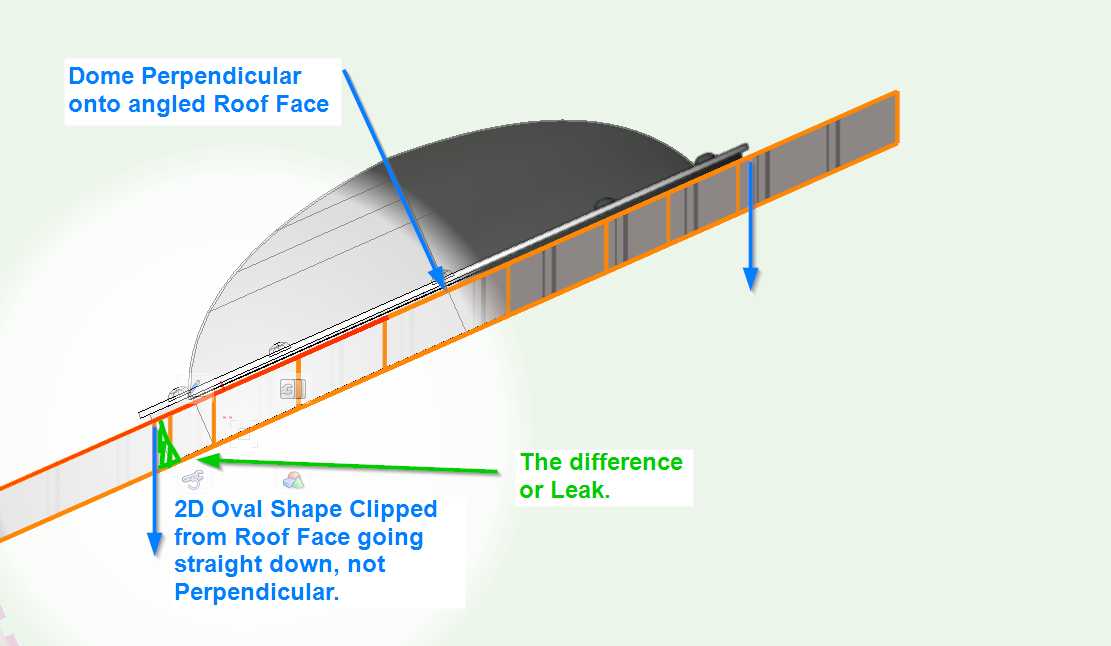
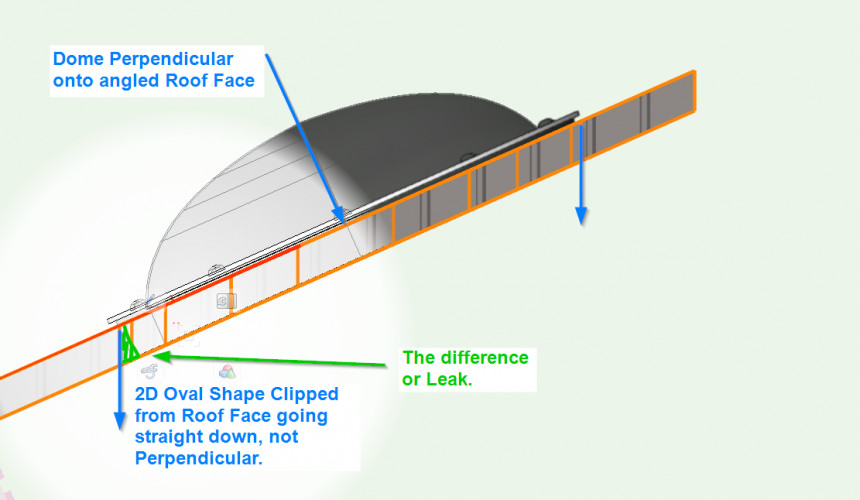
Sorry for the confusion (I meant Oval instead of Cylinder) & Yes that's the thing I am not so happy with... I did Clip a 2D Oval Shape from the Roof Face so it stays a Roof Face indeed... But: @Kevin K A Leak or Gap is formed anyhow by punching an Oval through the angled Roof Face. Because the oval punches straight down and not perpendicular is the relationship to the Roof Face. And then as @Tom W. rightfully says Subtracting a Cylinder through a Roof Face will change the Roof Face into a Solid Subtraction.
-
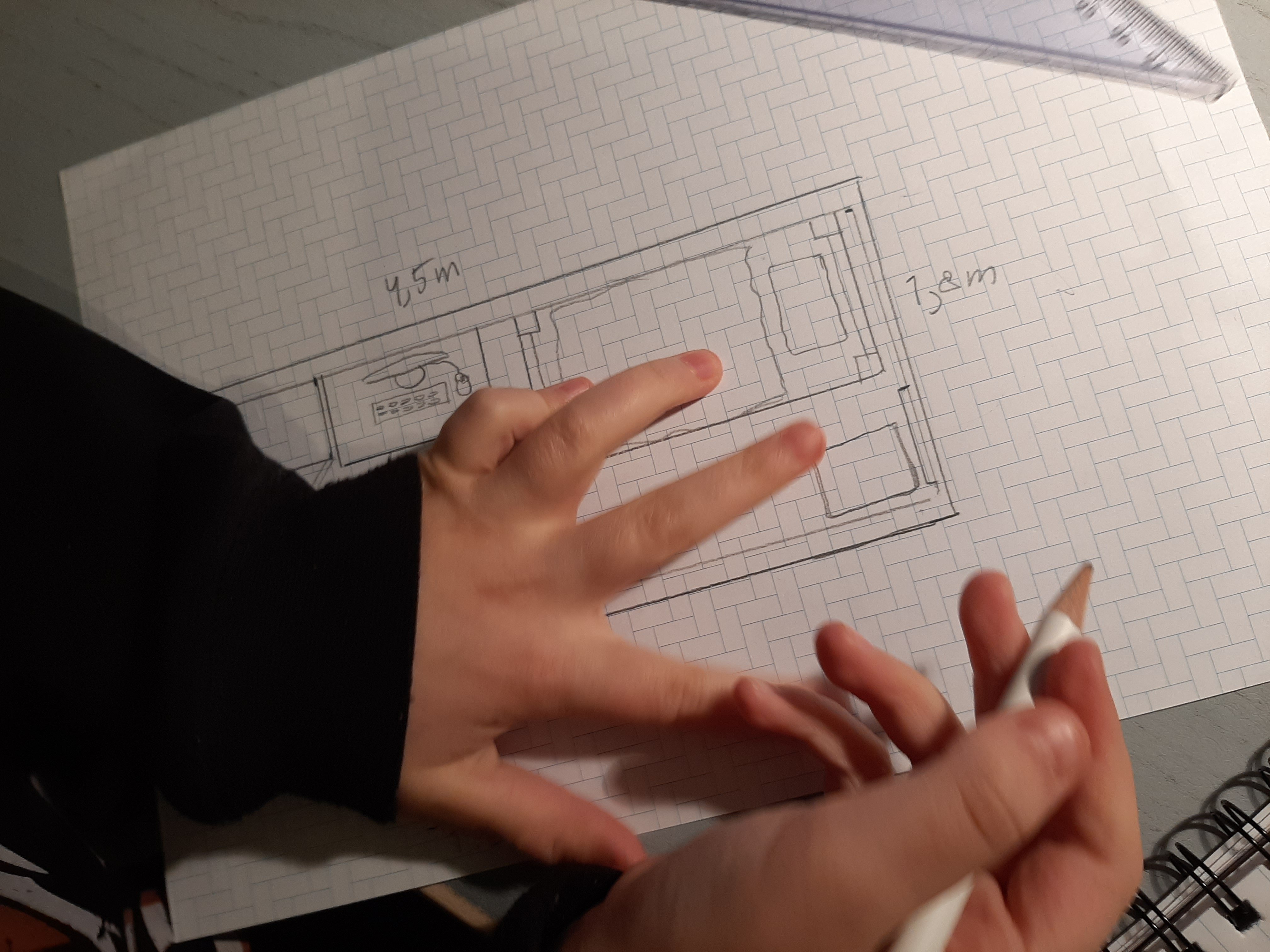
Yeah I wasn't that accurate, more focused on the method.. 😅