WhoCanDo
-
Posts
402 -
Joined
-
Last visited
Content Type
Profiles
Forums
Events
Articles
Marionette
Store
Everything posted by WhoCanDo
-
That could help if I needed to move the text from 0, 0 at a later stage ☺️ But I would like to know where to move it. I would like to know where the user clicked to place the text. If the tool was set up with parameters (eg. x1 - X Coordinate, y1 - Y Coordinate), would the recordHandle record them and how do I get them out?
-
Hi, I'm making a custom tool that places text, with data attached, onto the drawings. If the user picks a point on the drawing, how do I determine where that is? How do you get feedback from the tool?
-
Hi, I am adding data to multiple objects selected at various locations on my drawing. I would like to zoom in on each object when the user is asked for options. procedure Zoom (hZ : handle); var ZoomX, ZoomY : real; begin { SetName (hZ, 'Target'); ZoomX := XCenterN (N = 'Target'); ZoomY := YCenterN (N = 'Target'); } DoMenuTextByName ('Fit To Objects', 0); SetZoom (280); end; This doesn't work because it Fit's to all objects before Zooming in on the center of the selection. Other ideas are within the brackets. Maybe ForEachObjectInList, but I don't know how to generate a list. I would then SetSelect (hZ) to zoom in on it. Can anyone expand on the above please?
-
Very nice thankyou Pat 😃
-
If I place a constrained dimension with VS ( LinearDim ) , can I offset the text left or right with a VS command?
-
It would be nice if there was a search bar in the "Script Editor" with a forward and backward option.
-
Thanks Pat, Since I didn't know about "Point", I tried defining the variable as "Vector", but it didn't work (note for anyone else reading this). 😉
-
I've never seen "Point" before. How is that different from "Vector"
-
Ahh, You are correct. However, it is in the ScriptFunctionReference.html Mirror VectorScript Declaration: FUNCTION Mirror ( h :HANDLE; dup :BOOLEAN; VAR p1X :REAL; VAR p1Y :REAL; VAR p2X :REAL; VAR p2Y :REAL ) :HANDLE ; Python: def vs.Mirror(h, dup, p1, p2): return HANDLE Description: Reflect an object across an axis. For a 2D reflection, the axis is a line containing arbitrary point p and extending along vector v. Parameters: h The object to reflect dup If false, transform the original object to the new position. If true, create a new object p1 An arbitrary point on the mirror axis p2 A second arbitrary point on the mirror axis Result: The reflected object (this will be the same as the input object if dup is false).
-
hTmp := Mirror (hTmp, True, P1x, P1y, P2x, P2y); Can someone suggest why VS returns the error "Expected a point" at the first comma after the P1x please? I have var P1x, P1y, P2x, P2y : real;
-
Hey, I've just found out that PDF drawings can be dragged and dropped into VW. You can even do this with multiple PDF files at the same time. 👌😃
- 1 reply
-
- 1
-

-
Got it Pat, I think I was heading toward Naming something other than the group but your suggestion of Naming something within a group worked perfectly. Thanks 😃
-
Thanks Pat, No problem finding the bigger polygon, but (Loc = 'Tmp') does not seem to work on a group. procedure Test_2; var x : integer; h, hG : handle; NetArea : real; IsGroup : boolean; procedure Count (hC : handle); begin x := x + 1; end; begin h := FSActLayer; IsGroup := False; if (GetTypeN (h) = 11 { Group }) then begin SetDSelect (h); DelName ('Tmp'); hG := FInGroup (h); NetArea := HArea (hG); DoMenuTextByName ('Copy', 0); hG := NextObj (hG); while (hG <> Nil) do begin if (NetArea < HArea (hG)) then begin NetArea := HArea (hG); DoMenuTextByName ('Copy', 0); end; hG := NextObj (hG); end; DoMenuTextByName ('Paste In Place', 0); h := LNewObj; IsGroup := True; end; DelName ('Tmp'); SetName (h, 'Tmp'); ForEachObject (Count, (Loc = 'Tmp') & ((T = Wall) or (T = RoundWall))); message (x); end; run (Test_2);
-
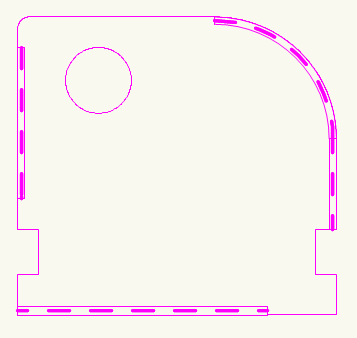
Hi, I wish to add a Field Name value to a Wall item within the perimeter of a 2D polygon object. At the moment, I have given the polygon a Name and then .. ForEachObject (Record_Data, (Loc = 'Tmp') & ((T = Wall) or (T = RoundWall))); However, some of the Wall items lie within the perimeter of a group of polygons. The group, for example contains one large polygon and another smaller polygon within it's boundaries (representing a cutout). Now, how do I do the same as above for a group?
-
Thanks Pat, sorry, didn't get the notification by email that you replied. A bit odd. We have our own titleblock on it's own layer @ 1:1 which is visible. This layer has the prefix drawing number 12345 - 1 - We have another invisible layer (Detail Layer-1) we are using to draw and dimension components (say 1:5). This layer has the suffix 1 to finish the drawing number. We then duplicate the invisible layer (automatically becomes Detail Layer-2) and draw the second component, and so-on. This layer will have suffix 2. We would like something to automatically reflect the layer number to complete the drawings number. However, if I was to write a script then I would not need the worksheet option. On reflection, your idea may be sound. I could write a macro that duplicates the layer and fills in the worksheet. This would alleviate another problem we have when we change the layer scale from one scale down to another. If we use the text "1" at 10pt, then it becomes smaller and requires us to resize the text. Annoying. Worksheet text is independent of the layer scale 😃 If you can offer an alternative, I'm all ears. Thanks
-
Hi, I thought there was a "Worksheet" topic previously, but I can't find it so I've ended up here. I want to list the layer name in a worksheet. I want the worksheet cell to show the name of the layer that the worksheet is inserted on ("Worksheet On Drawing"). I also want only part of the layer name so I was thinking of something like "=(Right (LayerName, Len (LayerName) - Pos ('-', LayerName)))" (eg. "Layer-1" returns "1") Can this be done?
-
We do the same with the script I gave you. It's a great way of modifying a set of components without affecting the others.
-
Dimension tool ID
WhoCanDo replied to WhoCanDo's question in Wishlist - Feature and Content Requests
Another idea would be simply 1, 2, 3, 4, etc. so that it can be implemented typically to all tools with options. -
Here's one I wrote years ago. It doesn't do exactly what you want, but may be it's a start. { 20150713 - First written. } procedure Main { Copy_to_New_Symbol }; var h1, hL, hG : handle; N : string; {••••••• PROGRAM ••••••••} begin ClrMessage; DSelectObj (T <> Symbol); if (Count (Sel = True) = 1) then begin h1 := FSActLayer; DSelectAll; SetSelect (h1); Message ('Original Symbol Name : ', GetSymName (h1)); Duplicate (50, 50); hL := LSActLayer; SetDSelect (h1); SymbolToGroup (hL, 0); hG := FSActLayer; HUngroup (hG); DoMenuTextByName ('Create Symbol', 0); DeleteObjs; hL := LObject; N := GetName (hL); SetActSymbol (N); SetTool (-209); { or -309 for 3D symbols } hL := LSActLayer; if (YNDialog ('Do you want to delete the original symbol ?') = True) then DelObject (h1); end else AlrtDialog ('No Symbol Selected On This Layer !'); ClrMessage; end; run (Main);
-
I use "Import dxf/dwg or dwf" all the time. It's great when the customer gives me multiple drawings. Can VW do the same with PDF please? Either by converting them to separate vwx files, or better still, import them directly into VW as you do with a multi page PDF.
-
Have you guys ever used "Import dwg/dxf or dwf". It's one I use all the time. It is not an import, but a batch converter. It allows you to pick all the ACad drawings and converts them to separate vwx drawings. Then you can view them at your leisure and copy and paste to your drawing as required.
-
Hi, I would like to see which dimension option is picked by changing the mouse pointer respectively. I can never get the hang of hitting "n" on the keyboard and remembering that the last dimension option I used is not necessarily the one I want now. Maybe the single letters L (Linear) C (Chain) B (Baseline) O (Ordinate) S (Selected) could appear above the mouse cursor to tell me what option is active 😊 At the moment, the Linear and Selected have one mouse cursor, and the Chain, Baseline and Ordinate have another, but I use Chain and Ordinate which have the same, and it's annoying.
- 1 reply
-
- 1
-
-
I think this will work 😃 Interestingly, JB mentioned the LT option but it's not in the Appendix "Attribute Criteria" and therefore I thought it was a typo when his eg. used PP again. Sorry.
-
Hi Pat, When you get back, try this with a line that has Line Type "Circles" or anything but "Solid" or "Pattern". It won't work. procedure test; var Line_Index : longint; Procedure Do_This (h : handle); Begin SelectObj ((PP = Line_Index)); Message (GetLSN (h), ' ', Line_Index); End; begin ClrMessage; Line_Index := GetLSN (FSActLayer); Message (Line_Index); Wait (2); DSelectAll; ForEachObject (Do_This, ((T = Line) & (PP = Line_Index))); end; run (test);
-
Thanks JB, This partly works. For SelectObj it works, but for ForEachObject it doesn't. I have had to use ForEachObject without PP and then check each "h" with "if (GetLSN (h) <> Line_Index) then" before running the code. I still think there is a bug with ForEachObject (Do_This, ((T = Line) & (PP = Line_Index))); not recognising the PP