Positive Space Design
-
Posts
8 -
Joined
-
Last visited
1 Follower

Recent Profile Visitors
489 profile views



-

Assigned image to 2D object reads as a solid
Positive Space Design replied to Positive Space Design's question in Troubleshooting
Hello Bart, Thank you so much for this explanation! I did not know about the 3-dot menu options. This solved the rotation. For the carpet, I found a texture that looks good in 3D. In 2D it reads as too dark and saturated. I am having the same issue with other textures. Is there a way to make these textures more transparent? Or is there a way to lighten them? Thank you! Elly PS: I recently created hybrid symbols so am familiar with how they work. I can test it out with the carpet. However I would like to be able to replicate the carpet and wood flooring across multiple files and structures as they have multiple levels and shapes. Not sure yet what the best way to tackle this is. -
Assigned image to 2D object reads as a solid
Positive Space Design posted a question in Troubleshooting
Hello, I have assigned an image to a 2D object but it reads as a solid (gray) color. Wondering if this is due to the size of the object that is too large to display any texture. Is there a setting to change the scale of the IMAGE selected so it reads as the texture it represents. In this case it's carpet? Screenshots attached. The next question is: Can I use a 2D image and apply it to an extruded object AND make it look identical in 2D plan and 3D views?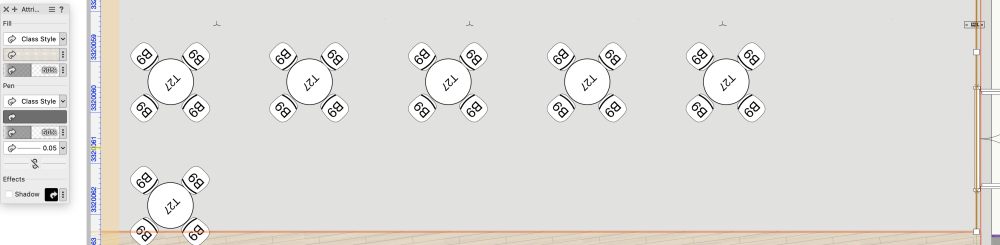

-
Symbols appear mirrored and rotated in Worksheet
Positive Space Design replied to Positive Space Design's question in Troubleshooting
Hi Pat, We're not going to switch from Worksheets to Graphic Legends midstream unfortunately. What makes it look mirrored or rotated? -
Symbols appear mirrored and rotated in Worksheet
Positive Space Design posted a question in Troubleshooting
Hello, I have attached 2 screenshots of my worksheet. It shows one symbol mirrored and the other one rotated. They show perfectly normal in the plans. How can the symbol appearance in the worksheet be adjusted without changing the symbols in the plans? Thank you for any suggestions. Elly

-
Hello, I apologize for the late response. For some reason I did not receive a notification. Are you still looking for help with your projects? Thank you, Elly ewinnen@icloud.com
-
Drafting is my happy place! My portfolio is available in my Archinect profile. These are a few project types I have drafted, designed and/or collaborated on: AirBnB Full home remodels Kitchens, baths, interior and exterior finishes: Historic homes, Midcentury, Modern Small Commercial; interior and exterior finishes What type of projects do you need help with? I look forward to connecting with you! Thank you, Elly Positive Space Design
-
Hi Meryl, Thank you so much for your interest. I am freelancing full time and have availability. I have past experience with wood frame construction detailing and new construction. My most recent experience and portfolio are house renovations/additions focusing on interiors. I looked at your website and like your work as well. Please let me know if I can answer any more questions. Thank you, Elly
-
Drafting is my happy place! I have 15+ years of Vectorworks experience. These are a few project types I have drafted, designed and/or collaborated on: AirBnB Full home remodels including kitchens, baths, interior and exterior finishes: Historic homes, Midcentury, Modern Guest homes Resort rental units Aging in Place home additions Private Office building; interior and exterior finishes My portfolio is available in my Archinect profile and here. What type of projects do you need help with? I look forward to connecting with you! Thank you, Elly Positive Space Design