Search the Community
Showing results for tags 'id'.
Found 3 results
-
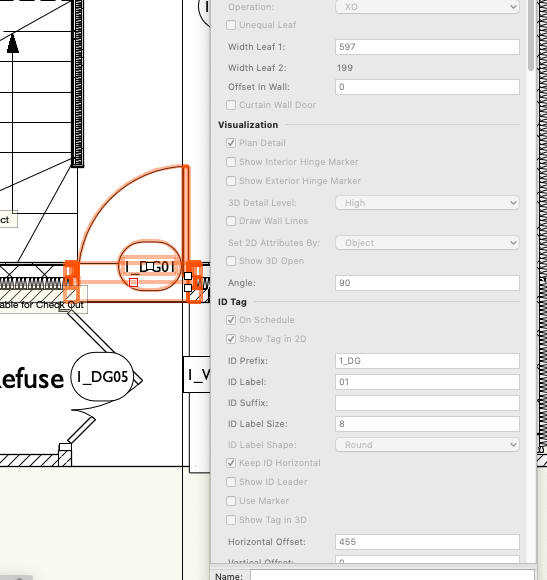
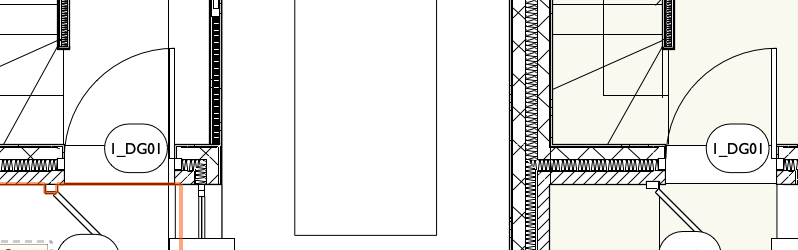
How do I change the ID tag on a door or window, without converting to unstyled? Currently all the instances of a particular style of door have the same ID tag! Not helpful. If I go into the settings for a particular instance, the ID tag options are greyed out....If I convert to unstyled, that defeats the object of having pre-prepared styles that can be edited across the project easily e.g. if Client decides to have a different shaped vision panel in the front doors across a series of houses, or we have particular product data to update the style with later in the project. I'm trying to generate a door schedule too.
-
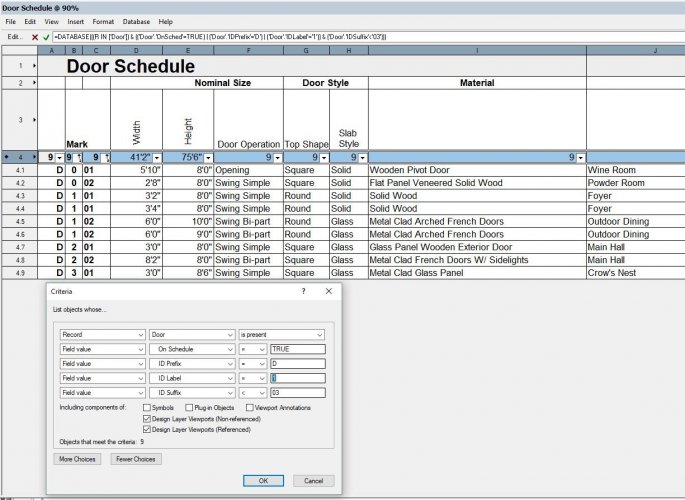
Hey guys, I'm trying to isolate my door objects that have the number "1" for its ID Label value. However inputting this into the criteria window identifies objects that have 0, 1, 2, and 3 for their ID Label values. What am I doing wrong? Thanks, Raymond
-
Is this possible to create an ID Label for cabinets ? I would like to have this label pull out the name of each cabinet and be able to insert it on the elevation. What would be the process?