



AlanW
-
Posts
3,392 -
Joined
-
Last visited
Content Type
Profiles
Forums
Events
Articles
Marionette
Store
Posts posted by AlanW
-
-
Hi Thanks for the response. See attached a finishes schedule.
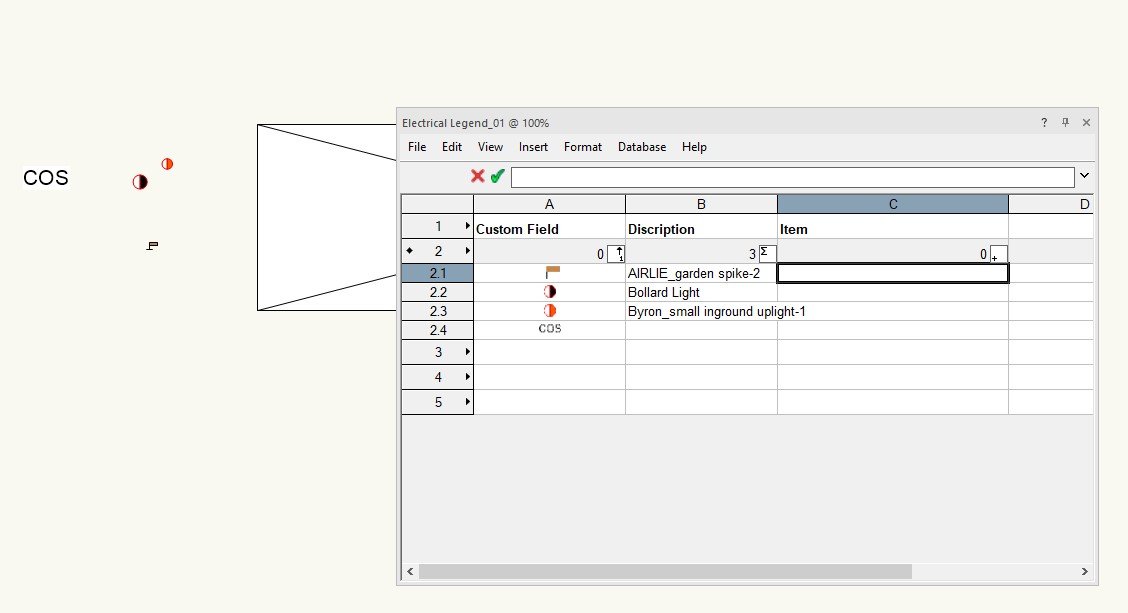
I have a symbol folder with each one attached is to a records and i can place one of these symbols on a design layer, annotations layer or sheet layer and the spreadsheet will read them. So if you have a huge legend list you can have only the ones used in the drawing showing in the legend.
I want to do the same with the electrical symbols.
Hope this makes it clearer.
Regards
Alan
-
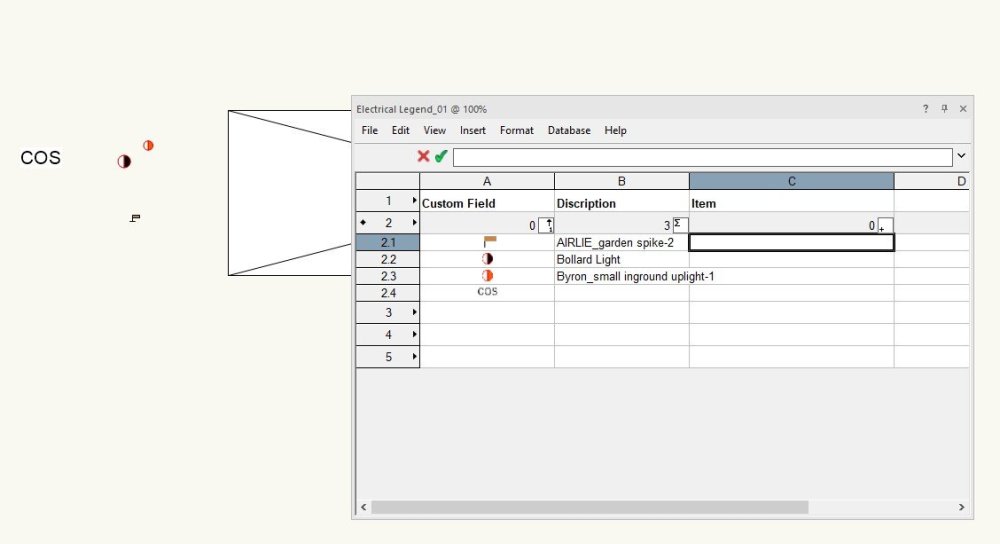
Hi I want to add all the symbol used in a drawings that are within a certain symbol folder.
Have been doing it with records and text but the symbol which is a bit of a drawing i can add the image but it will pick up all the images in the drawing if i don't sort. Any ides would be greatly appreciated.
See Attached 2024
Thanks
Alan
-
Hi, When i opened your file i too saw the file way off in the distance so i turned on all design layers and classes and moved it to the origin and made sure the user origin was set to the internal origin. Have moved all the doors around ad did not find any issues any more. If you still have issues close and reopen the file and see what happens
Also not sure why you are using the design layers the way you are?? I use design layers for say Site Plan, Ground floor , first floor and roof and all the items in the design layers are set as classes. Design layers are containers that contain classes like furniture walls windows etc see attached.
Good luck
Alan
-
Been looking at Archicad and you can set separate layers and Archcad via Datasmith stacks all the meshed in layers.
I guess i can save layer states but datasmith explodes everything.
Is there a way similar in VW to Archicad????
-
Hi I can import a referenced Excel spreadsheet into Vectorworks and all the text is imported in the correct cells but none of the images come over. Is it possible to do this?
Thanks in advance.
-
Hi, I currently export as Cinema 4D by Texture which works fine for Twin Motion.
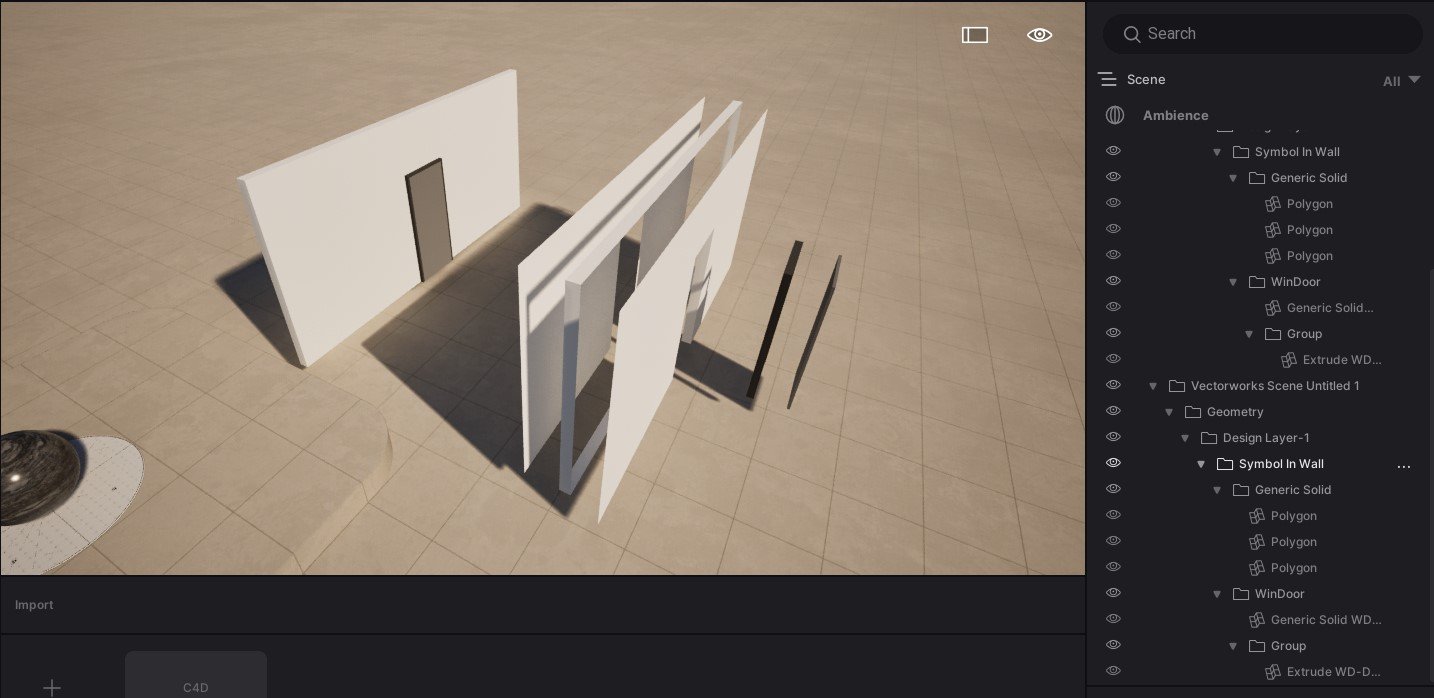
BUT it would be good to not have all the Vectorworks file explode when you export and keep hierarchy.
I have raised this on a few previous occasions but Vectorworks has been silent on my questions.
Datasmith is the same, it keeps the VW hierachy and explodes everything.
If i have to open doors i simply don't show the doors in VW in 3D and put them in in Twin Motion.
Thanks in advance.
-
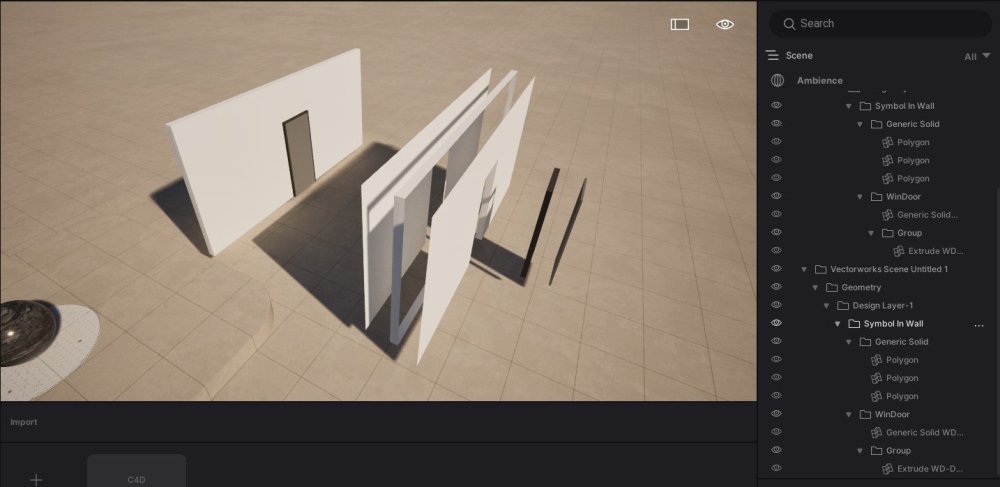
When exporting any 3D file from VW and keep hierarchy i find that each item say a wall & door is exported as lots of objects rather than a single objects as in VW a wall for instance, seems to break the wall into components. Is there a way to have these items exported as single items rather than all the components?
.
Is it possible to do this????
-
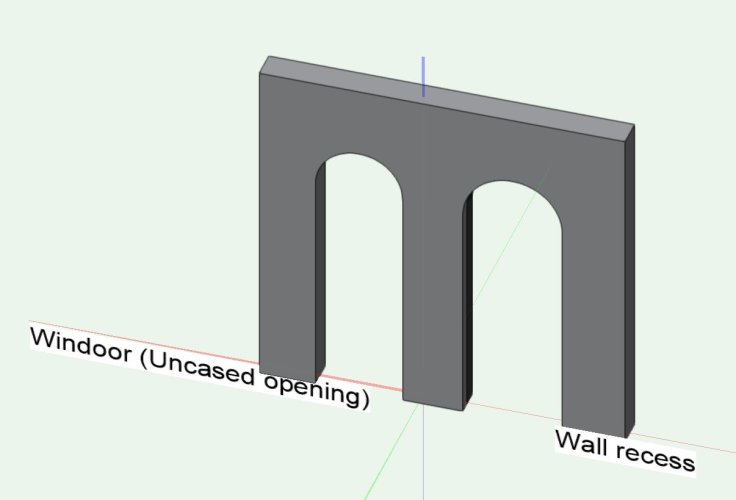
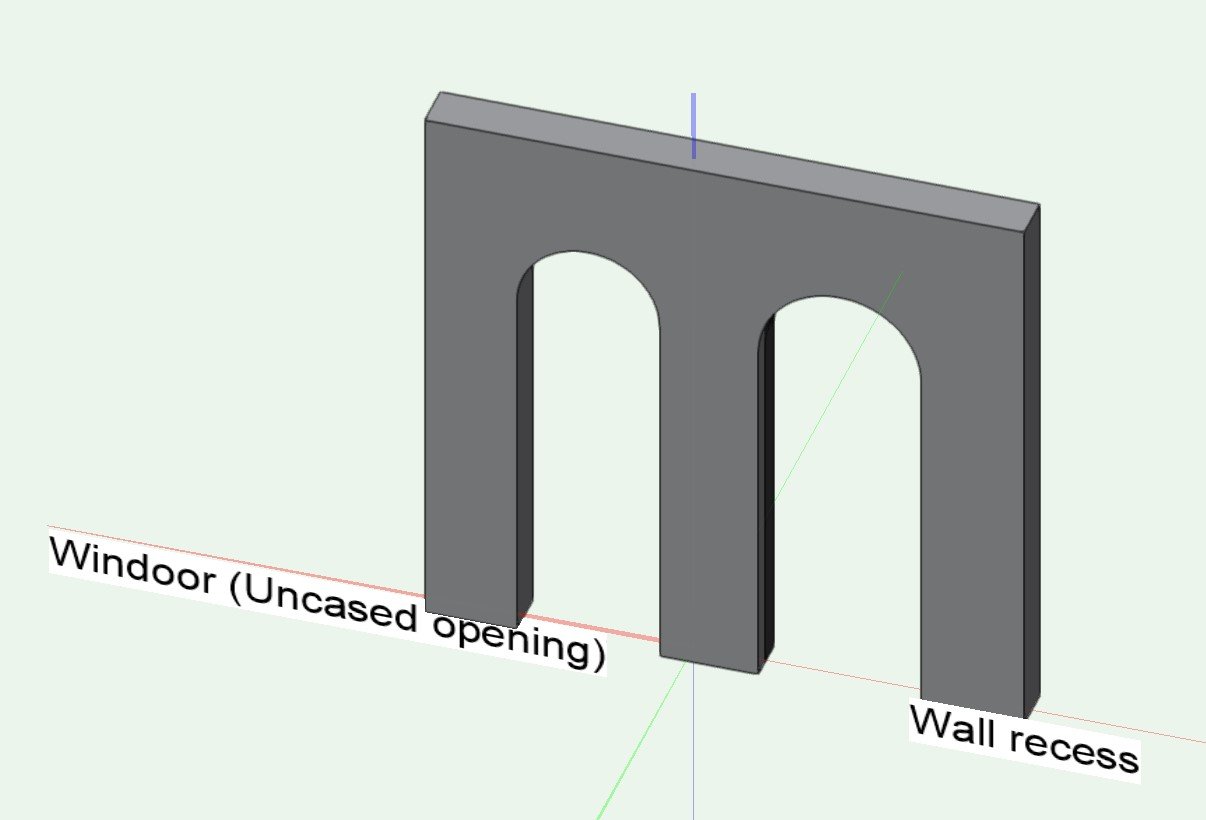
@davidronnHi, just wondering why you dont use a door with an uncased opening or a wall recess? see attached.
-
 1
1
-
-
-
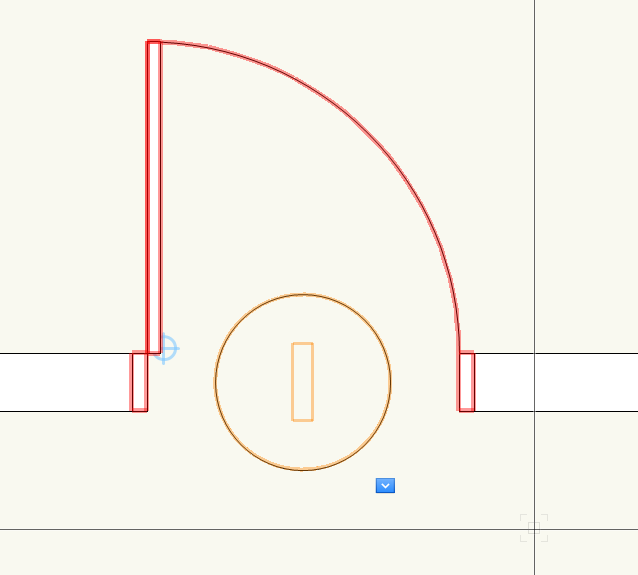
Hi, trying to use a Data Tag for doors. We use Windoor. I cant get text to show in the tag and not sure how to link information to it like solid door , door size etc.
Any help appreciated.
-
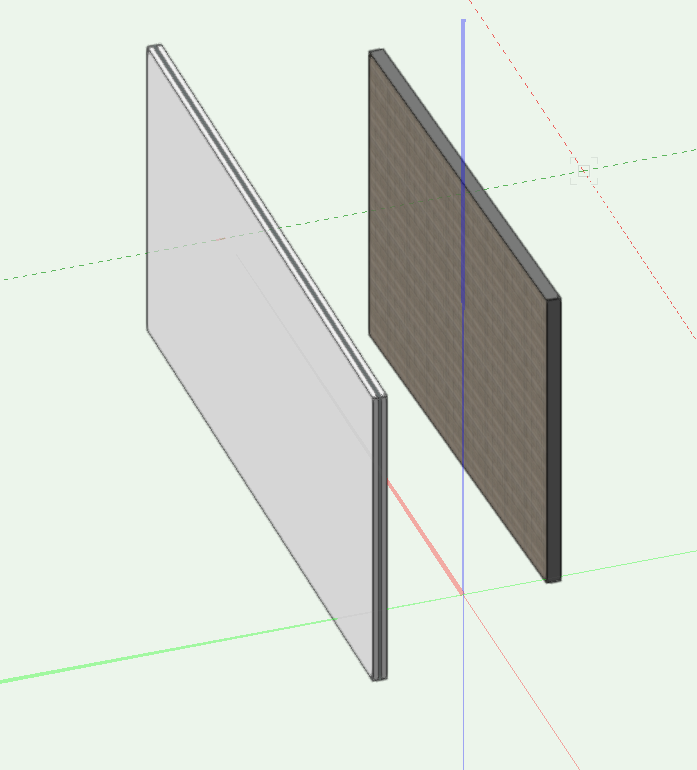
Hi if i eye drop the right wall to the left wall the texture of the left wall the wall texture wont change until i change it to by Object.
Am i missing something? should i be able to eye drop one wall to another and have it automatically change from by component to by object.
Thanks
-
It would be good if you could adjust length of section marker without the section moving n the viewport.
Would it be possible for you program the end of the marker to function the same as the start which doesn't affect the section????
-
@line-weightHi, So the image is my sheet layer. Open file and go to the design layer and move the right side of the section marker to the right or left. Go back to sheet layer and update the viewpoint. The model location changes so any annotation work you do is all out of place. I want to be able to move the right side of the section line (The end) and not have the model in the sheet layer move.
If you move the left side (start) of the section marker the model in the sheet layer viewpoint does not move.
Hope this makes sense.
-
PS , I meant Section Markers in the design Layer
-
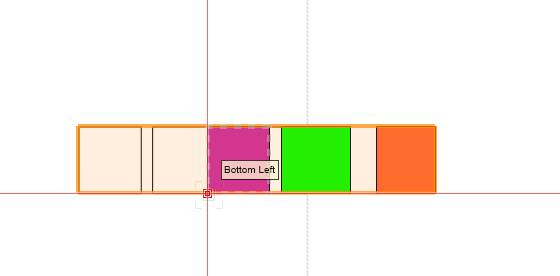
Hi, I use annotations for 3D work and having issues. Create a section Viewport.
If you move the left side of Marker in the viewport the annotations don't move.
If you move the right side of Marker in the viewport the annotations move.
Is there a way to not have this happening.
Often have to move the section line in or out to avoid the final viewport notes then you have to move all the annotations to match the moved section.
Am I missing something can I move the viewport marker in without this happening.
Thanks in advance.
-
@rudybeuc@gmail.com Hi i noticed that your windows in plan don't show all the de
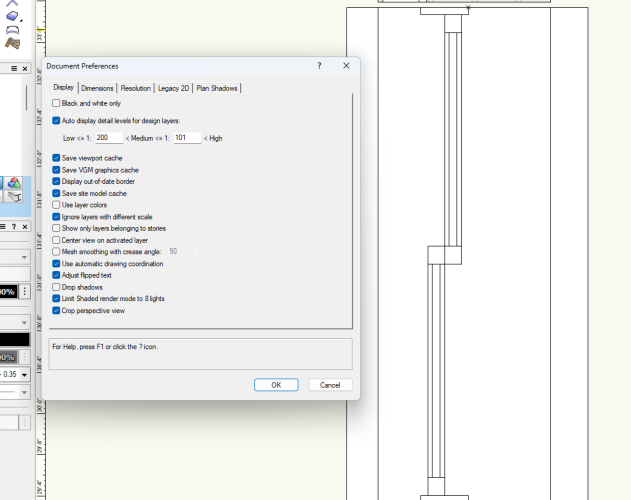 tail if you set settings as per attached you will see more.
-
Hi, in photoshop you need to paint a bit of the left side of the image on the right and top on the bottom so when thy join there will be no line.
A bit like making a brick texture. https://www.youtube.com/watch?v=X0p_YjSe4G0
HTH
-
1
-
-
@Tom W.Thanks Tom,
Would be nice to only allocate a Common design layer and it shows through to all the viewports that the Common design layer appears without going through all the viewports also and allocation all the viewports also.
Thanks
-
1
-
-
Question,
Section markers on the design layers don't show even though in section line instance the design layer is ticked Only shows if i tick the viewport number. If i untick the design layer the section markers still show. Am i missing something if i want the section markers to appear on a common design layer to show through all drawings or do i have to allocate each viewport for it to show??
See Attached
-
Hi if i understand your question correctly.
If i edit a symbol, i double click to edit the 3d Components. then hit Ctrl A Ctrl 6 to view all. if i want to look at side i hit 4 on mun pad and Ctrl A Ctrl 6. to view all. sometimes i am looking at edge so i hit 2 on num pad and do same again to see object.
Hope this helps.
-
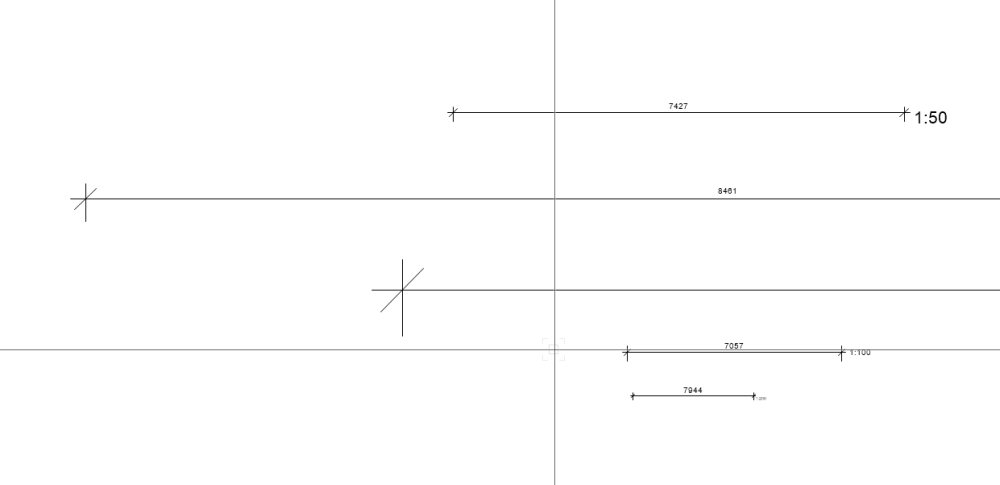
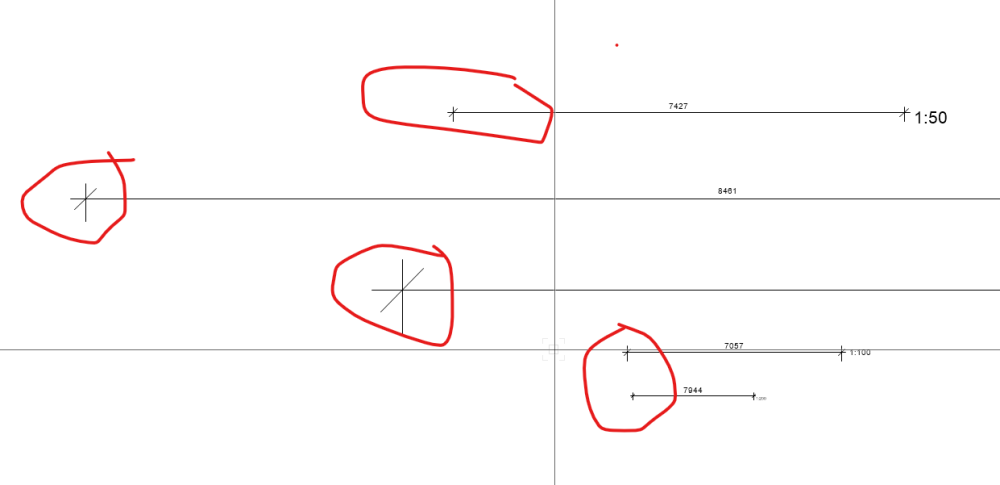
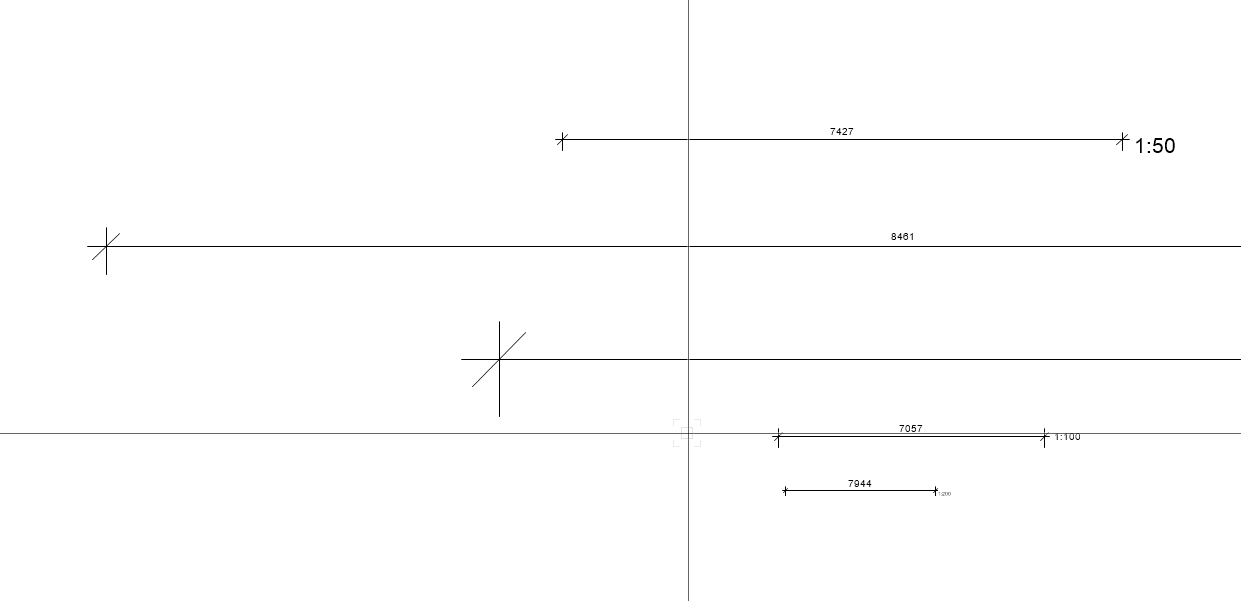
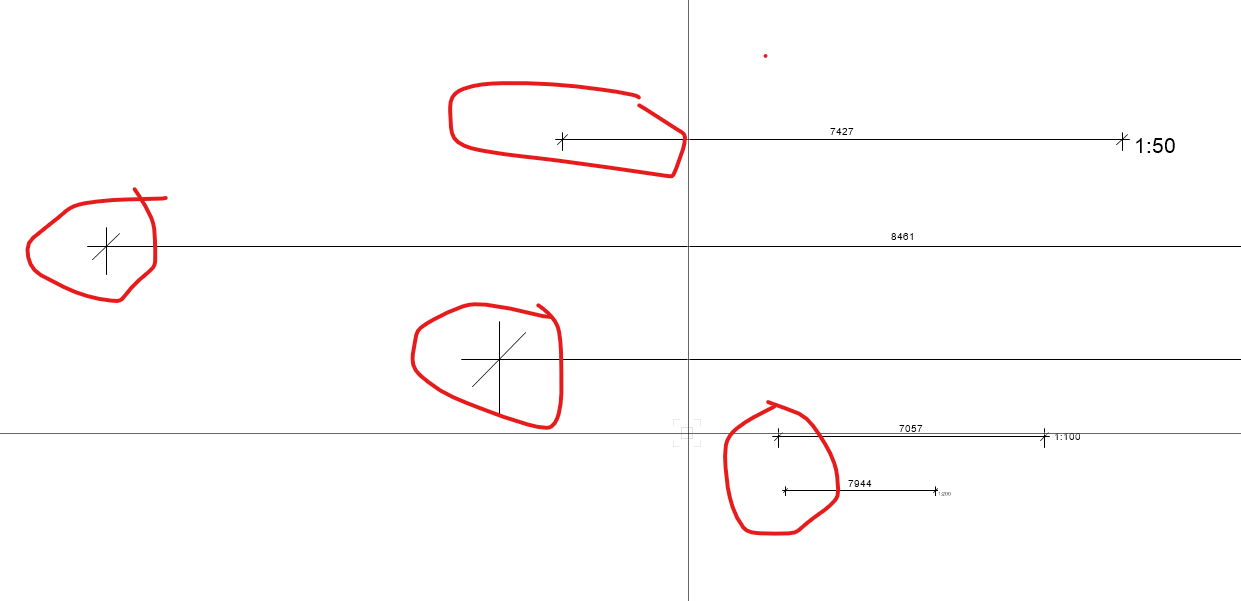
Is there a way to make the ticks all the same in the viewport.
I have a number of dimensions set to various scales so all the text in the Viewports are the same but cannot get the ticks to be same size. Must be missing something simple.
Top image is from Design Layer an d bottom from Sheet Layer
Thanks in advance
-
1
-
-
Do your 3d Locus show? if not go to VW preferences and show them always.
If contours polys are solid they will hide whats beneath.
Without seeing file that all i can think of.
-
1
-
-
As far as i know the fence/railing tool does not send to surface and the Marionette is a stand alone item.
-
HI. this is the process.
Open VW create a file with a few 3D items in it.
Click Datasmith Link, hit Datasmith Preferences and choose a location for the file to be placed, Choose custom and place a folder in the location you want Call TM Test select this folder and go OK.
Open TM 2023.1
Click Export Link in VW, open the file you created TM Test and click save (.udatasmith) it will export the information to that file.
In TM click the import and direct link icon, you won’t see anything.
Now Click Direct link auto sync in VW it will say “direct link auto started” and in a few seconds you will see the link pop up in TM and check your options and import Keep Hierarchy.
You are ready to go. Move something in VW and it moves in TM. Have 2 screes and both open.
Good luck and enjoy.
You may get a message from TM that you need to change your graphics driver. Its pretty specific. I have a high-level gaming driver and TM crashed a few times and when I changed the driver to the one they suggested all is good.
Alan

Worksheets
in Troubleshooting
Posted
@Grethe Connerth
Hi you drag a symbol for the legend symbol folder to a design ,annotation, or sheet layer and then click on worksheet on sheet layer and update. delete on off and it disappears from the worksheet. Drag on on sheet and update it appears is sheet.
HTH
Alan