



Kevin McAllister
-
Posts
5,158 -
Joined
-
Last visited
Content Type
Profiles
Forums
Events
Articles
Marionette
Store
Posts posted by Kevin McAllister
-
-
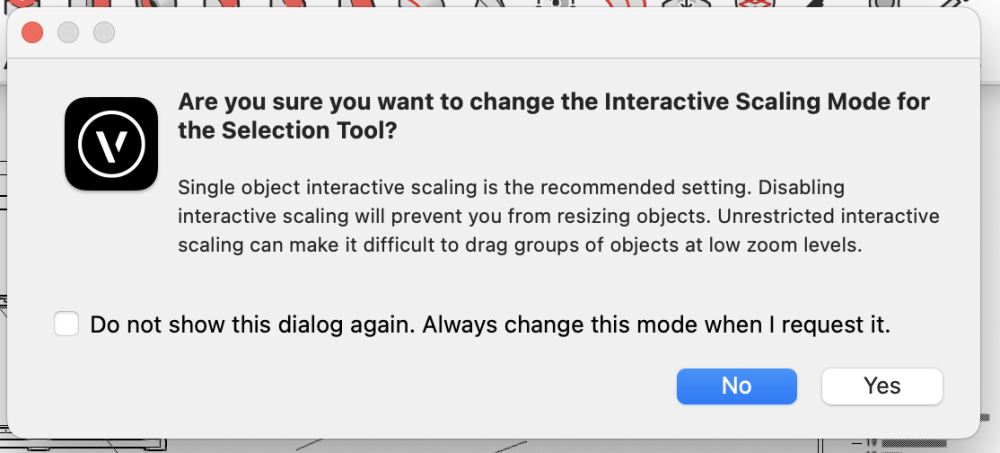
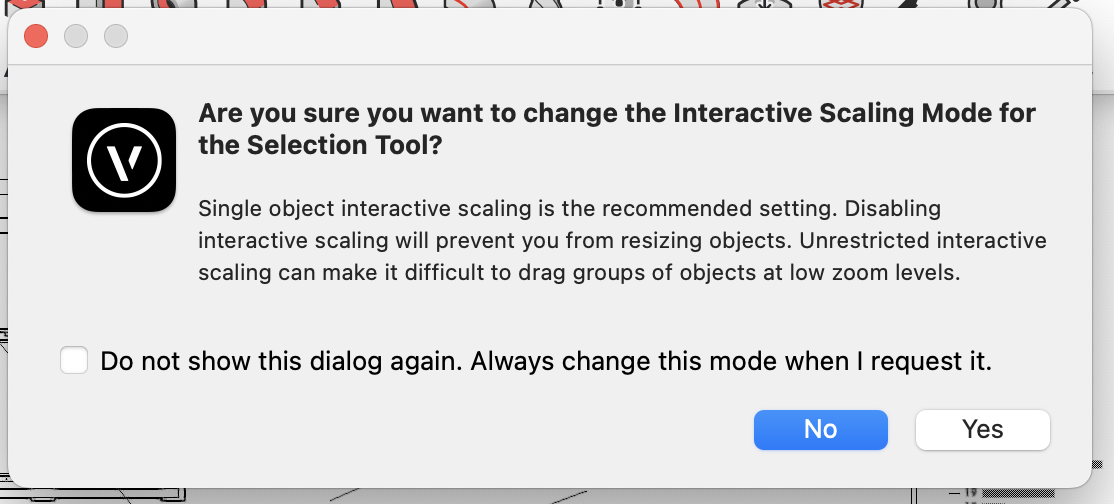
What OS and Vectorworks version are you using? It looks like a bug. I'm on a Mac (current versions of both) and don't see the same behaviour. The only difference I can see is you've dismissed the interactive scaling warning dialog (see attached).
Kevin
-
17 hours ago, EAlexander said:
I just make a dedicated layer and drop all my details on there as symbols. They appear around the drawing as needed, but I viewport them from a sperate independent layer where things never move. Since they are symbols, I can update them anywhere and they will globally update.
Also - you need to make a Wishlist request thread for this and let people vote on it if you want the devs to seriously look at it.
Longstanding wish - sheet layer viewports should be able to look at symbols as an option. @Matt Panzer it's come up again 😊. Vote here -
Kevin
-
 2
2
-
-
I've done this sort of thing before with the deform tool. If you want to do a row of buildings, you'll probably need to do them individually. I used some common guidelines to do it, so I had a common origin and common target height. The guidelines were beyond the buildings.
Kevin
-
These are interesting. I played a bit with a set design in a theatre and AI Visualizations. The visualizer seems to think stage or theatre lighting means colours 😊
Kevin
-
1
-
 1
1
-
-
If you want to test for weirdly scaled text or arrowheads, you could temporarily change the layer scale in a copy of the file (always do testing in a copy not the original).
Kevin
-
2
-
-
Ultimately the solution is this old wishlist item -
Kevin
-
It may well be related to this thread about a bug with symbol creation -
I know that creating a hanging position makes a symbol so it would be logical it would be affected. Was the hanging position you created originally away from the origin?
This bug was submitted and confirmed. I don't have a tracking number.
Kevin
-
So much good information here. I wonder if NV should make a tech tip on this! Or maybe one exists @JuanP?
Kevin
-
1
-
 1
1
-
-
32 minutes ago, Andy Broomell said:
If you already have a chain dimension, you can right click on one of the dimensions and choose "Edit Dimension." Then in the pop-up window that looks like the OIP, you can type in a Note and have it affect only the dimension you right clicked on. This approach can also be used for Precision and other properties.
Oooooh, I just learned something. I needed it only ten minutes ago 😊
Kevin
-
I'm not sure I entirely understand your setup. Originally it sounded like you were just having the issue in the design layers, but in your more recent replies you mention a sheet view too. Is it possible to share an example file?
Things I would check -
- What's the state of the origin in the file? Are you using the internal origin only or is there a user origin as well? In my experience, moving the origin can cause a lot of weirdness.
- If you are using sheet layers, be aware the sheets can be moved. If they've been moved it can cause things to feel weird, especially when navigating between design layers and sheet layers. If you double click on the Page Move tool while on a sheet layer, it will reset the page position.
Kevin
-
1
-
Please continue to remove unnecessary scrolling of the Navigation Palette. I'm sure this used to be a Wishlist Item but I couldn't find it. This type of scrolling happens during certain tasks. My specific example happens when Sheet Layer Viewports are updated but there are others. My personal preference would be for the Navigation Palette to never scroll unless I actively scroll it.
Here's my specific example. I have a file with many sheet layers to illustrate various scenes in show. Each sheet layer has a perspective viewport that needs updating and a plan viewport that updates automatically. Sometimes I have to update a few in a row, so I select the sheet, select the viewport and then click Update in the OIP. Moments after I do this, the sheet layer pane of the Navigation Palette scrolls until the current sheet layer is at the bottom. Because of this I need to scroll up to select and activate the next sheet layer. This should be unnecessary and the Navigation Palette should not scroll when a viewport update is performed. I've attached a video.
Thanks,
Kevin
-
4
-
-
6 hours ago, GatRed said:
I was wondering if it could always be displayed ?
(I’m using a 14" macbook pro M2).
It's no problem to fix this. As Stephan says its a Mac OS thing. Go to the Window menu in Vectorworks and uncheck "Use Full Screen". Your Vectorworks window may shrink. If it does just resize it to fit the full screen. The menus will also disappear if you click the green "Enter Full Screen" button at the top left hand corner of your Vectorworks window.
Kevin
-
3
-
-
If you submitted a Premium Tech Support Request to NV, how long do you think is a reasonable response time?
-
- Popular Post
- Popular Post
Looping back since I wrote the original post. My concern is not about overall cost or value. I feel Vectorworks is a great value and generally the cost is not out of line with what it provides or in comparison to other software. My concern was directly about a sudden large increase rather than something incremental or with a lot of notice. Many theatre practitioners here are one person shops and budgeting is tight.
Kevin
-
12
-
Update - Confirmed by Tech Support and filed as a bug - VB-201952
Kevin
-
2
-
-
9 minutes ago, Pat Stanford said:
MacBook Pro, M3, OS14.2.1. Working with 2D objects only.
I just tried with a 3D object and a hybrid (Extruded Octagon with 2D Octagon) and both of them worked exactly as I expected.
🤷♂️
Interesting. Thanks for testing this. You're starting with an object that's not at centre?
KM
-
1
-
-
1 minute ago, Pat Stanford said:
Like I said, I just tried in Update 3.1 and I am not seeing the problem. I wonder what is different in our installs.
When I create a symbol and tell it to leave the instance in place the symbol creates with the origin at the center of the object and the OIP showing the correct distance from the origin.
Pat, are you on a Mac or PC? Are you testing with a 2d object or 3d object? 2d objects seem to work as expected.
The others who are confirming my result are on Macs.
Kevin
-
1
-
-
Hello,
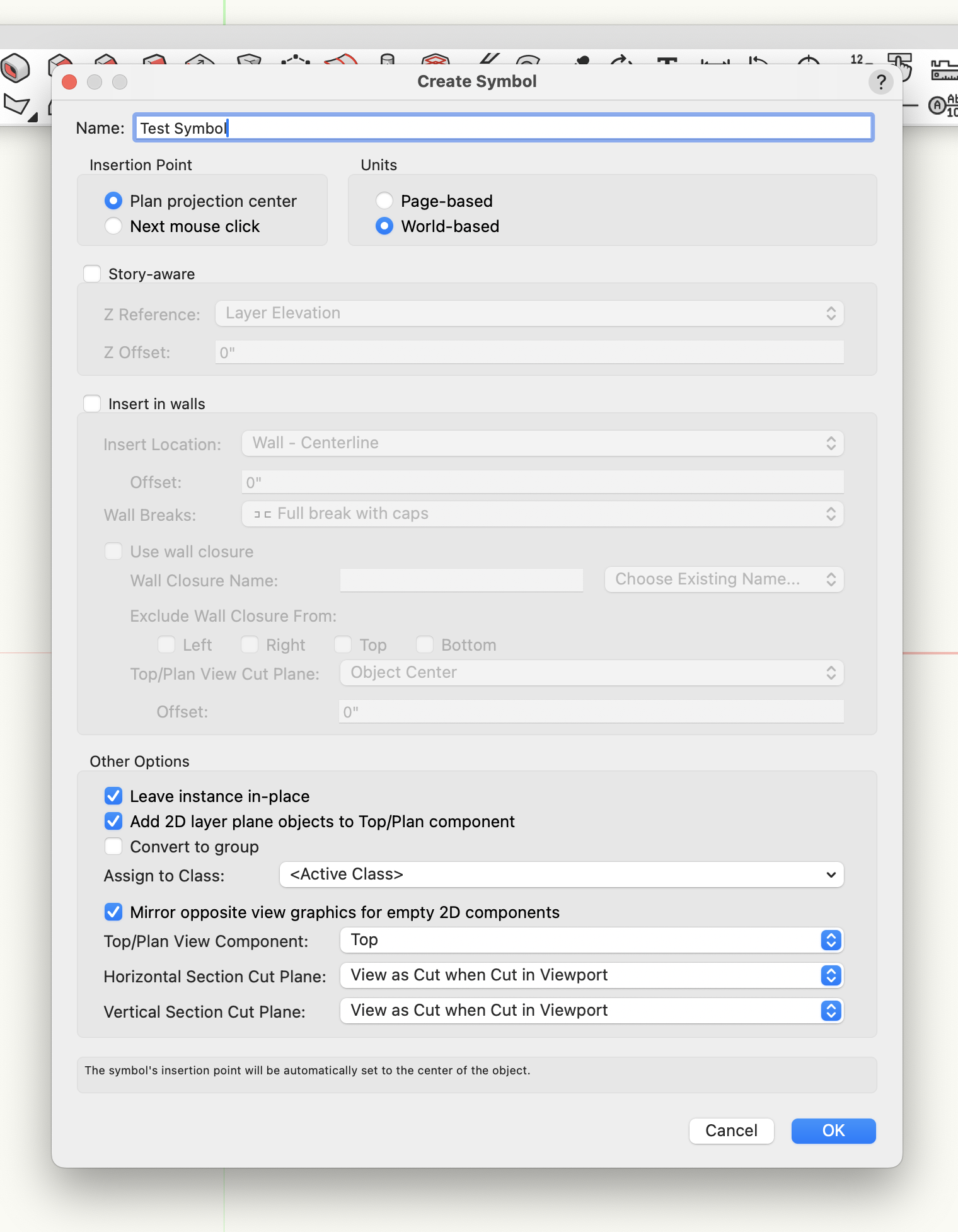
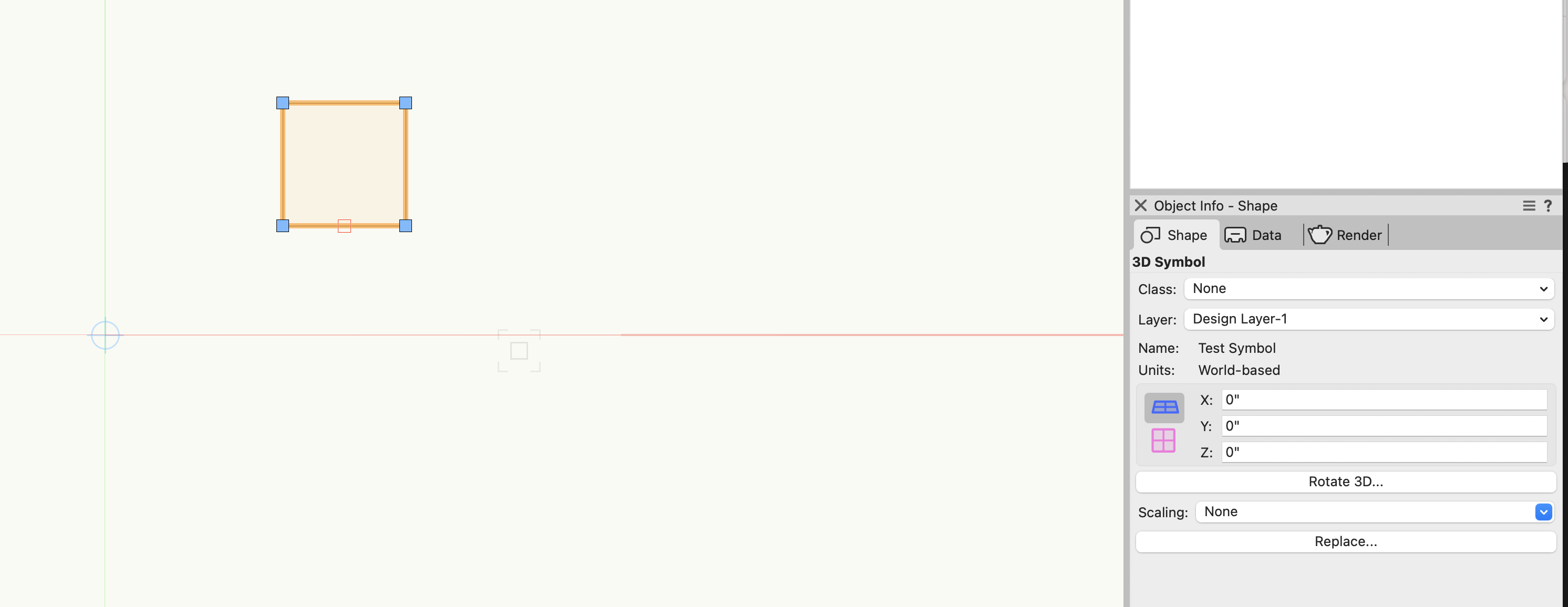
I've recently started using VW2024 for my active projects. There seems to be something wrong with symbol creation that doing my brain in. Try this -
- create a 3d object like an extrude located away from the origin.
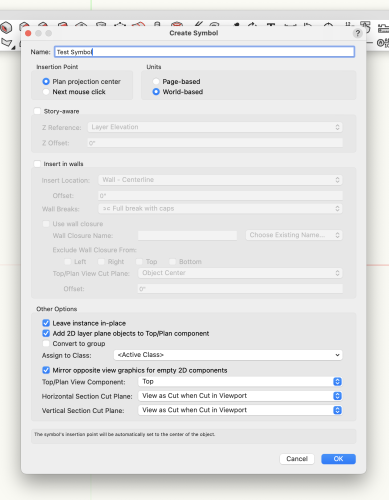
- make it into a symbol using Plan Projection Centre as the Insertion Point.
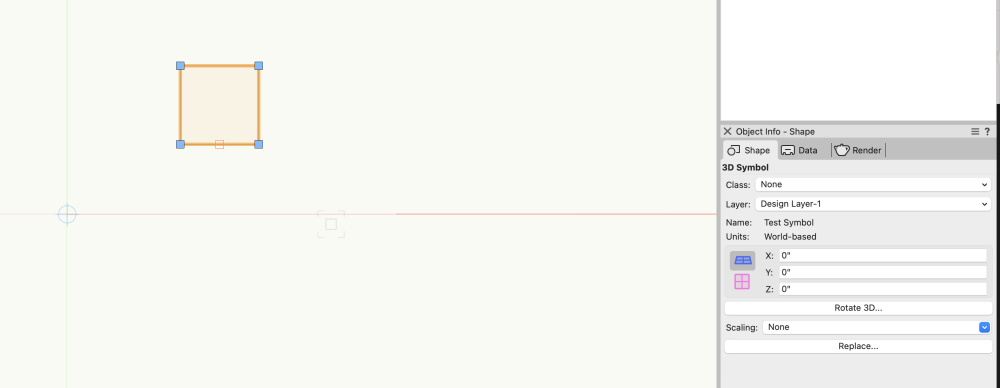
- Now look at the symbol's position in the OIP. All the ones I create show the symbol at 0,0,0.
The symbol does not have the Plan Projection Centre of the 3d object as its Insertion Point. Instead it is using the origin point as its Insertion Point. See screen shots below.
I create symbols this way all the time and the first few times it happened I got very confused because symbols weren't inserting as expected. This has to be a bug.
Can someone else try this and confirm the behaviour I'm seeing?
Kevin
-
2
-
-
Hello,
I've noticed that 3d loci are rendering in viewports (they're bitmaps so likely related to Shaded background renders) in VW2024 Update 3.1 when Preferences>Display>Display 3d Loci is set to Always. This behaviour is different than in past versions (I just brought this file forward from VW2023). I've always thought that loci were essentially guides and should never render or print.
Would you consider this a bug?
Kevin
-
19 minutes ago, Pat Stanford said:
Every basic class has to start somewhere. The answer to this question is specifically stated in the training materials for the certification. It does not say that this is the ONLY thing it can be, but it is one way to use them.
"Home" is very close to "where"
"Sorting Type" is very close to "what"
This certification is designed for someone new to VW. If they have to understand every possible use of layers and classes before moving on they would never get to draw anything. 😉
So the answer to the question is false 😊
Since I've never become certified I was reading the question out of context. Now that I understand the context I can confirm it's a poorly written question. But many True/False questions are.
KM
-
1
-
-
What an appallingly bad question.
My personal opinion is that a Layer is a "home" of an object and a class is the "sorting type" of an object. But it can vary depending upon the project. Everyone thinks differently and should use Vectorworks as it suits their workflow and their project.
Kevin
-
2
-
-
2 hours ago, Andy Broomell said:
Just to be clear... this is not about the Spotlight Video Camera object, but the universal Renderworks Camera object.
Honestly this is about any camera object in Vectorworks.... consistency is key 😊
Kevin
-
1
-
-
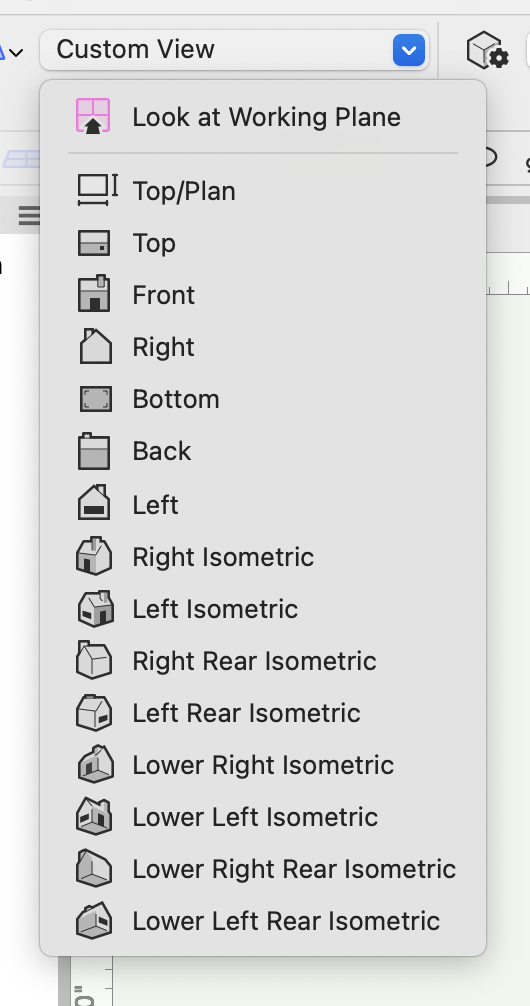
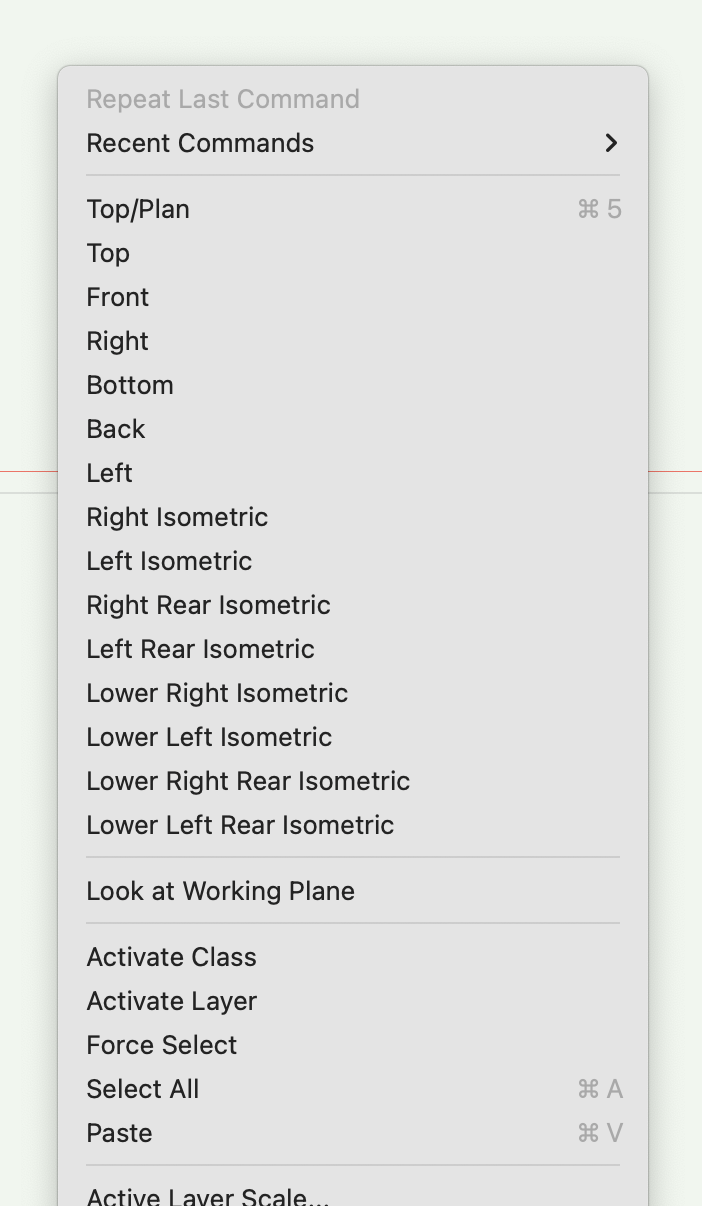
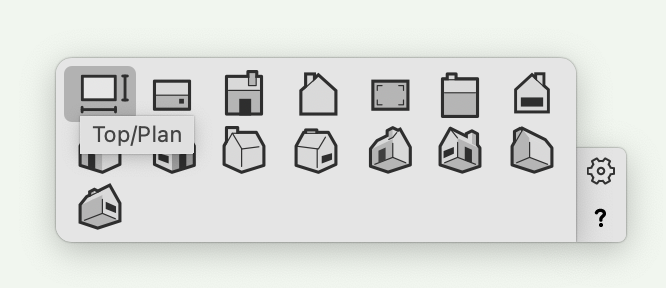
Ok. so here's the thing..... interfaces need to be consistent to be efficient. Here's three different versions of the same thing (mode bar dropdown, right-click menu and the smart options display).
Also, I really want to choose which views appear in the various view menus, rather than just a view menu block.
Kevin
-
42 minutes ago, Jesse Cogswell said:
The Look At Working Plane button is still there, but it's in one of the drop downs, the view one, maybe? Not sitting at my computer at the moment. It's just an added click like the Organization menu.
Thanks for the tip.
Kevin
How can I get rid of the origin that appears when using the selection tool?
in General Discussion
Posted
Actually if you change modes while the dragger is set to Re-position mode it happens for me too. Move it off reposition mode and it resets (graphic attached. reposition mode is the one with the arrow, move it to the other one). Definitely a bug.
Kevin